90 GENERAL INFORMATION
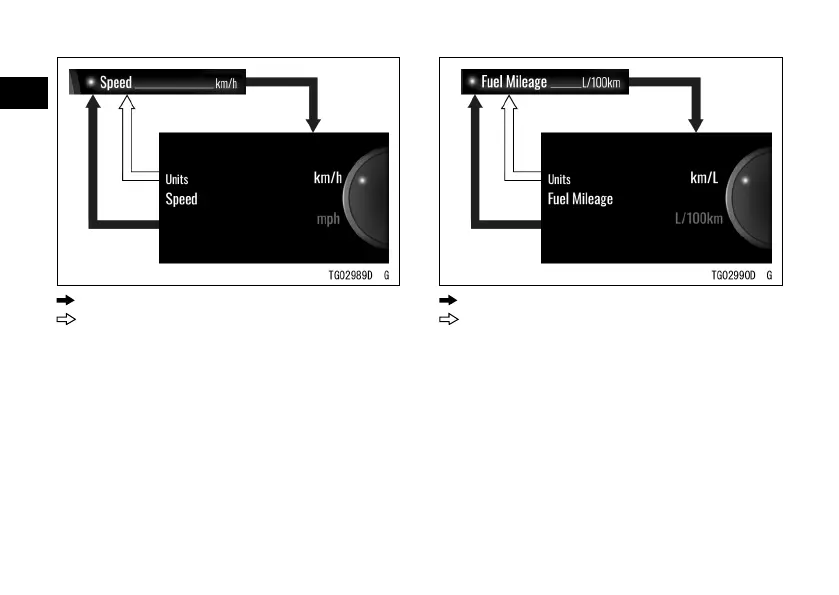
: Flow when pushing SELECT button
: Flow when pushing RESET button
Fuel Mileage
This switches the unit of fuel
consumption.
ÿ Highlight “Temperature” using the
upper or lower MODE button.
ÿ Push the SELECT button to shift to
the next screen.
ÿ Choose “°C” or “°F” using the upper
or lower MODE button.
ÿ Push the SELECT or RESET button.
: Flow when pushing SELECT button
: Flow when pushing RESET button
NOTE
æ The choices will change according to
the unit set by “Speed.”
Temperature
This switches the unit of temperature.
ÿ Highlight “Temperature” using the
upper or lower MODE button.


 To Next Page