3. Desk/Wall mount installation
5
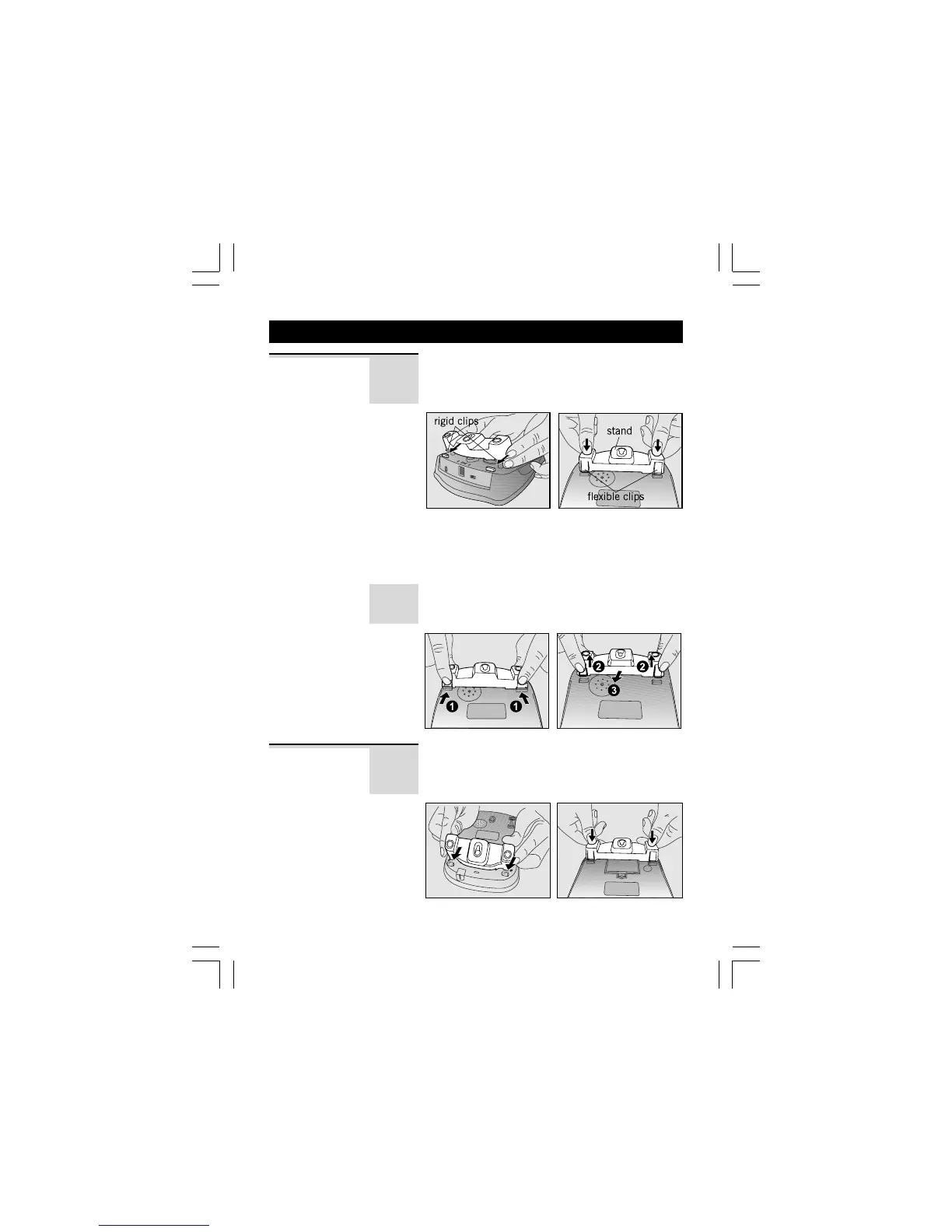
To place the Caprice 500 on a desk, connect
the stand to the bottom of the phone in the
slots near the rear of the base as shown below.
Desk Mount
Insert the rigid clips of the stand into the slots
on the bottom of the phone (near the rear of
the base). Press down firmly until the flexible
clips clicks into place.
To remove the stand, (1) pinch the flexible
clips, (2) pull back the stand, and then (3)
slide up and forward (3) as shown below.
To place the Caprice 500 on a wall, connect
the stand to the bottom of the phone in the
slots near the battery cover as shown below.
Wall Mount
Binatone Help Line - 0845 345 9677Binatone Help Line - 0845 345 9677
Binatone Help Line - 0845 345 9677Binatone Help Line - 0845 345 9677
Binatone Help Line - 0845 345 9677
Calls are charged at Local Call rate.


 To Next Page