4. <OK> and <UP/DOWN> to select ON or OFF to turn the remote
5. Press <OK> to confirm.
8.5.8.3 Access Your Answering Machine Remotely
You can ring your phone from another tone-dialing phone to switch the
answering machine on or off, and/or listen to your messages remotely.
1. Place a call from a tone-dialing phone to your phone.
2
Note: The * must be entered while the OGM is still playing, and the 4-digit PIN
3. Enter the 4-digit Remote Access PIN (default PIN is 0000).
Note: If the 4-digit Remote Access PIN is entered incorrectly three times
consecutively, the line will be released automatically.
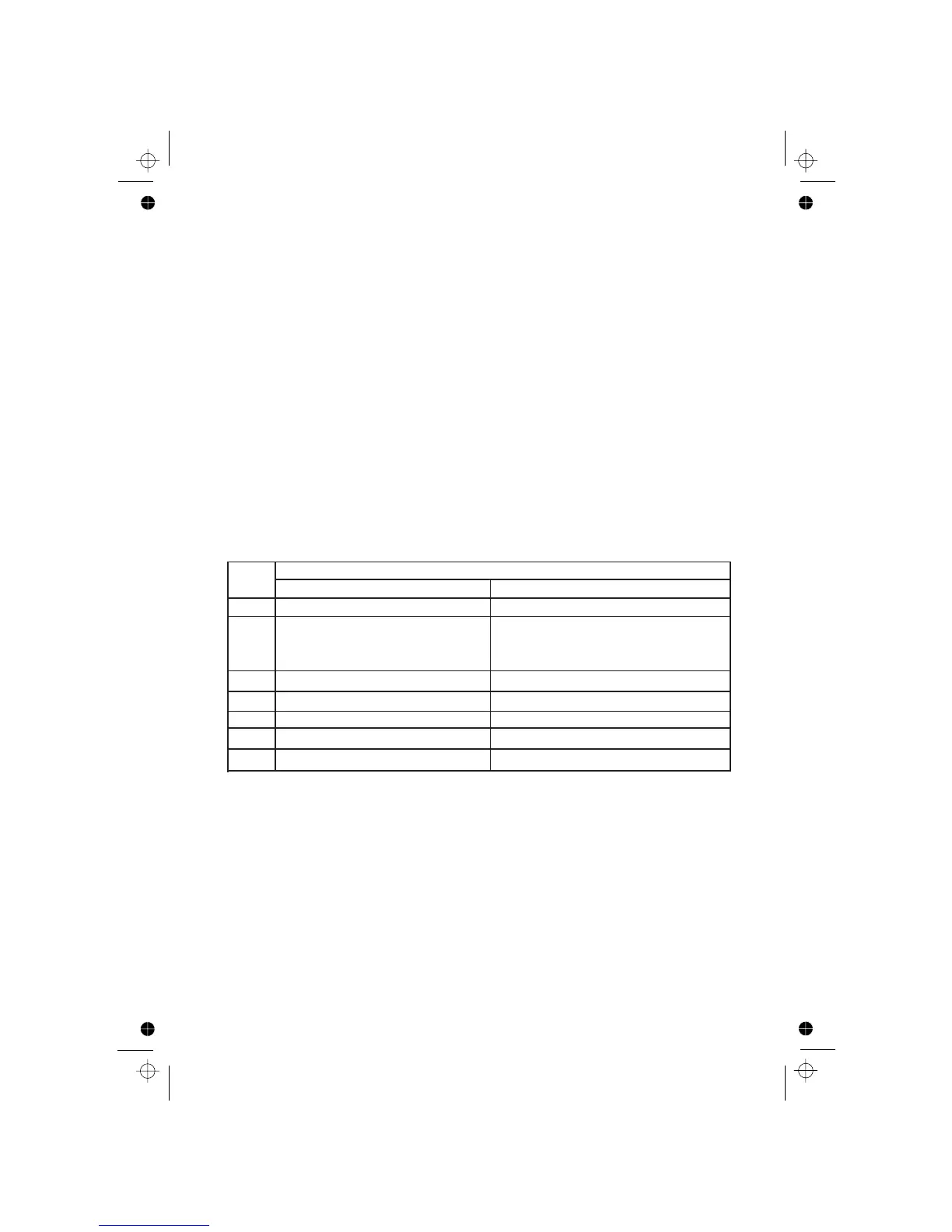
4. Press the following keys to carry out your desired function.
<KEY *>.
should be follow without any delays.
Functions
Keys
While message is not playingWhile message is playing
2
Delete the current message playback
4
Repeat playing the current message
from the beginning.Press twice to skip
backward to play the previous message.
5
Play the message
Stop the current message playback
6
Skip to play the next message
7
Turn on the answering machine
8
Stop the current message playback
9
Turn off the answering machine
Note: If your answering machine is switched off, the phone will enter into the
remote access mode after 10 rings.
You can then enter the <KEY *> and the 4-digit remote access PIN (Default
Remote Access PIN is 0000) to activate the remote access feature.
8.5.8.2 Activate or Deactivate the Remote Access
1. Press <MENU> and <UP/DOWN> to select ANS. MACHINE.
2. Press <OK> and <UP/DOWN> to select TAM SETTINGS.
3. Press <OK> and <UP/DOWN> to select REMOTE ACC
Press
press
.. When the answering machine answers the call and starts playing the OGM,
access on or off respectively.
30












 To Next Page