WR3000N 300M Wireless N Router
- 41 -
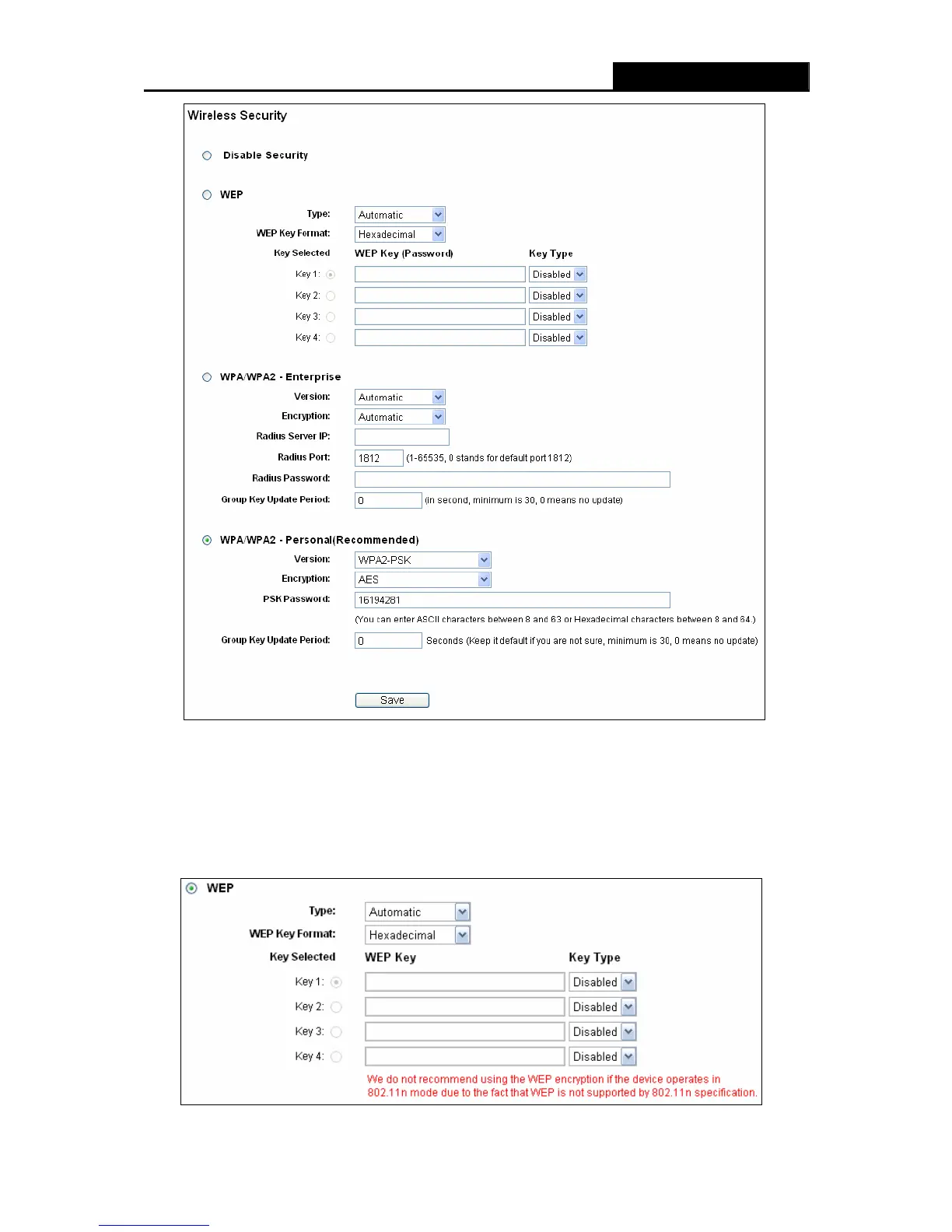
Figure 4-17 Wireless Security
¾ Disable Security - If you do not want to use wireless security, check this radio button. But it’s
strongly recommended to choose one of the following modes to enable security.
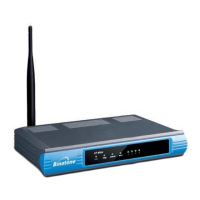
¾ WEP - It is based on the IEEE 802.11 standard. If you check this radio button, you will find a
notice in red as show in Figure 4-18.


 To Next Page