Section 4
Maintenance and Troubleshooting
4.1 Maintenance
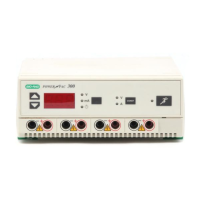
The PowerPac HC requires little maintenance to assure reliable operation. To
clean the case, first unplug the power supply. Use a damp cloth to wipe down the
outer case. Ethanol may be used to wipe the case, however, prolonged contact or
use may cloud the green translucent case.
4.2 Troubleshooting
4.2.1 Basic Troubleshooting
Problem Cause Solution
No display/lights/fan 1. No AC power. 1. Check if PowerPac HC is unplugged,
or problem with AC power source,
or power switch is in off position "O".
2. Blown fuse. 2. Replace fuse. See Section 4.3 for
details.
Repeated blown fuses Hardware failure Contact Bio-Rad Technical Resources.
Leads from cell are Output terminals for the Use the PowerPac Adaptor,
not long enough to fit PowerPac HC are (Catalog number 165-5061) which
output jacks recessed 16 mm to accommodates most standard 4 mm
meet safety regulations. banana plugs, to make a secure
Some leads are not electrical connection.
long enough to make Note: Use of the PowerPac Adaptor
electrical connection. voids EN61010 safety provisions.
4.2.2 Power Failure Detection (PFd)
Power failure related messages provide information in the event of a power
interruption during a run. The power supply and the electrophoresis cell are not at
fault, and there is no actual corrective action.
The power failure detection default setting is OFF. That means that if a power
outage occurs during a run, the run will be aborted and the run parameters will be
lost. According to the application and user preferences, PFd may be turned ON,
which will enable the PowerPac HC to resume the run automatically when power is
restored.
8


 To Next Page