4.2.4 Bio-Rad Serviceable Error Messages
Error code Cause Solution
ERROR 03 Output regulation Restart the unit by turning the power
* POWER OFF/ON problem switch OFF and ON.
Contact Bio-Rad Technical Resources
if problem persists.
ERROR 08 Output regulation
* POWER OFF/ON problem
ERROR 99 Hardware failure
* POWER OFF/ON
ERROR 98 Hardware failure
* POWER OFF/ON
4.3 Replacing a fuse
If there is no display, lights, or fan, and the PowerPac HC is plugged into a working
AC power outlet with the power switch in the "ON" position, the fuse may need to
be replaced.
1. Disconnect the power cord from the electrical outlet.
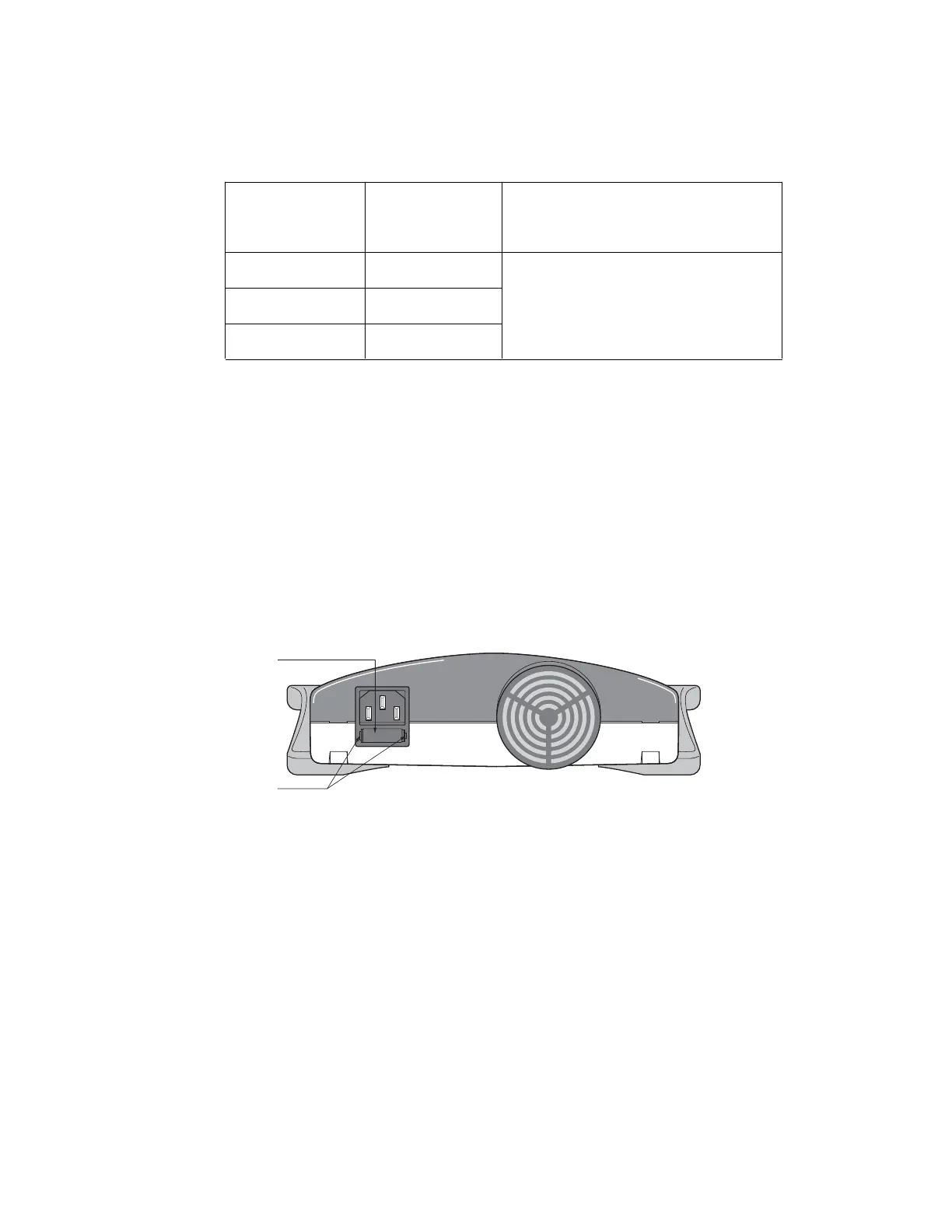
2. Insert a flat blade screwdriver into the notches of the power entry module's fuse
drawer to release it. See Figure 7.
3. Remove the fuse from the fuse drawer. Replace it with 8A, 250 V, 5x20 mm,
type T fuse (Bio-Rad part number 900-8933).
4. Re-insert the fuse drawer into its position. Press the fuse drawer gently until it
snaps into place.
The unit is now ready for use.
Fig. 7. Rear View Showing Fuse Drawer with Notches.
Note: Repeated blowing of the fuse indicates a hardware failure. Contact Bio-Rad
Technical Support.
4.4 Expediting Technical Support
Make sure the following information is readily available before contacting Bio-Rad.
Product model no: Located in the sticker on the bottom of the unit
(example: PowerPac HC Power Supply).
Serial number: Located in the sticker on the bottom of the unit
(example: xxxBRxxxxx).
Software version: The PowerPac HC displays the software version momentarily
after switching the power ON (example: Firmware 1.00).
State clearly the error code, error message or anomaly, and the conditions that
originated the problem, including run parameters (V, A, and W) as well as the
electrophoresis cell and buffer system.
NOTCHES
FUSE
DRAWER
11


 To Next Page