Section 2
Control Features
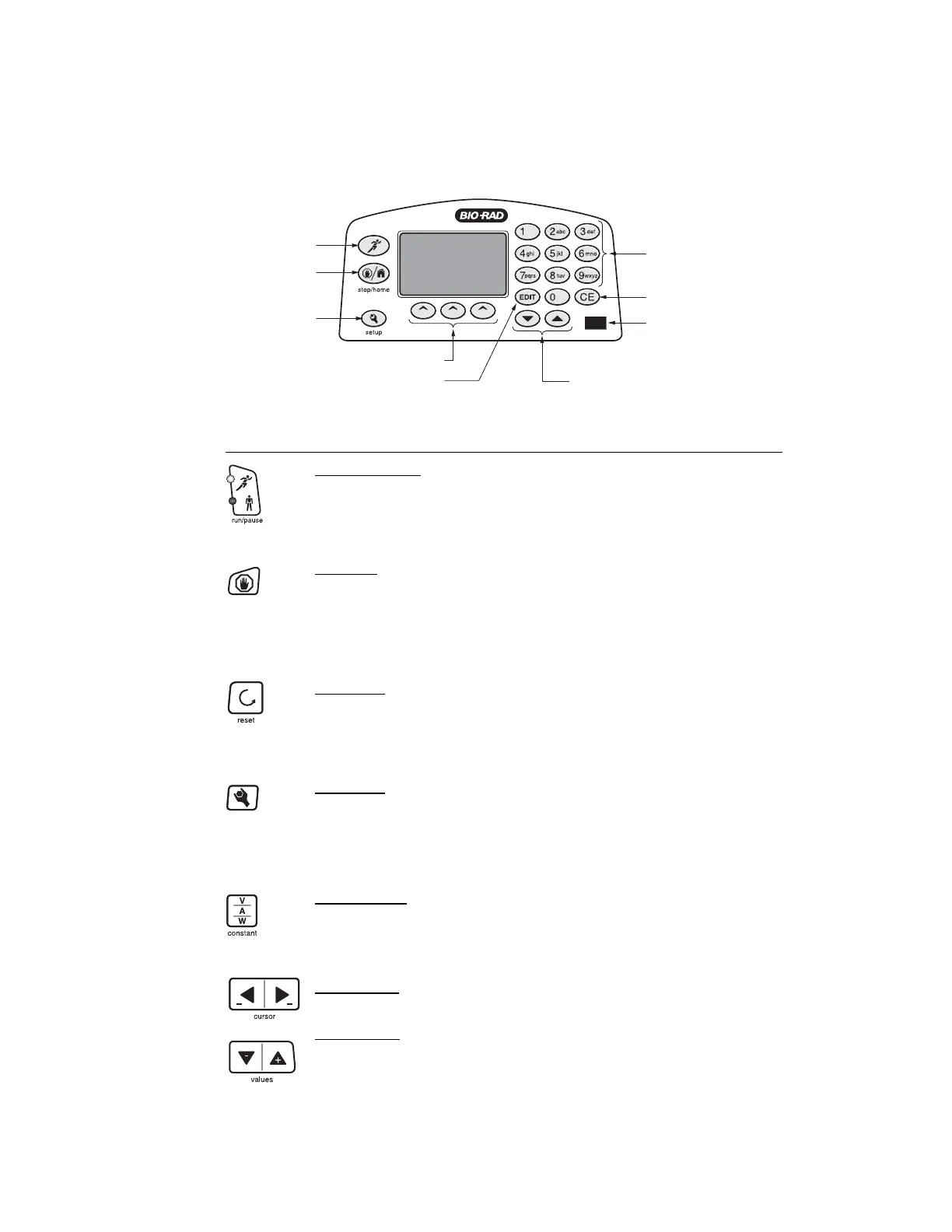
Fig. 4. Front Panel.
Key Description
Run/Pause Key
• Starts or pauses a run. Pausing allows editing of the run parameter
values.
• The corresponding LED indicates the status of the power supply.
Stop Key
• Stops the run. The display will show final run values alternating with
the "Run Stopped" screen.
• A second stroke to the stop key clears the final run values of the
previous run and prepares the screen to repeat the run.
Reset Key
• The reset key can be used at any time during programming to clear
previous run parameters and reset to the default startup screen.
• In the setup menu, the reset key returns settings to default values.
Setup Key
• Setup key accesses the set up menu. The setup menu allows
changes to defaults such as power failure detection, rapid
resistance change detection, alarm, and display contrast. See
pages 6–7 for details.
Constant Key
• Selects constant voltage, constant current or constant power.
• The lighted LED below the parameters on the screen indicates the
constant parameter selected.
Cursor Keys
• Navigates among the different entry fields on the screen.
Values Keys
• Changes the value of the selected parameter (indicated by the cursor).
If the values key is pressed continuously for more than
10 counts in either direction, +/-, the value will increase/decrease in
increments of 10 to reach the desired value faster.
CLEAR ENTRY KEY
ALPHANUMERIC
KEYPAD
ARROW KEYS
SETUP KEY
SOFT KEYS
EDIT KEY
STOP/HOME KEY
IR PORT
RUN/PAUSE KEY
3


 To Next Page