106 | Chapter 4: Preventive Maintenance
Maintenance Programs
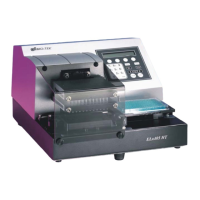
The ELx405 onboard software contains the following pre-defined Maintenance
programs
for most of the recommended tasks:
• DAY_RINSE
• OVERNIGHT_LOOP
• RINSE_AND_SOAK
• LONG_SHUTDOWN
• DECONTAMINATION
To
run a Maintenance program:
1. From the washer’s main menu, select MAINT.
2. Press the Options key to scroll through the available programs. Press the
ENTER key to select a program.
3. If prompted for additional information (such as RINSE VALVE for models
with the external valve module), make the appropriate selections.
4. When START MAINTENANCE? appears, select YES or press the START key
to begin.
To halt a Maintenance program in progress, press the STOP key.
5. When the program is complete, press the Main Menu key to return to the
washer’s main menu.
Bio-Tek Instruments, Inc.


 To Next Page