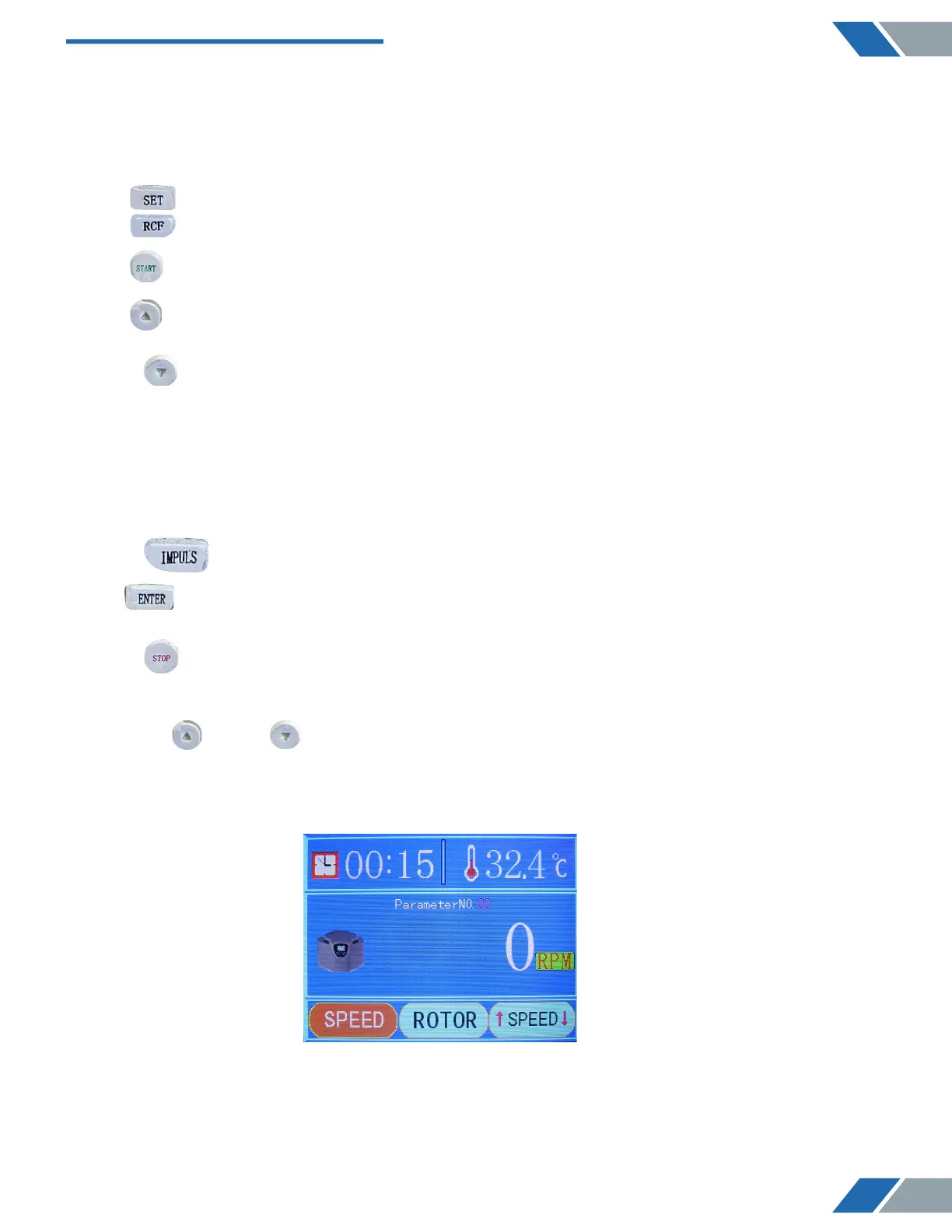
2 . :The display area of the parameter numbers.
3 . :The operation icon.
4 . :The setting of rotor modes.
5 . :The setting of rotating speed.
6 : The “SET” button.
7 . : The “RCF” button.
8 . : The “START” button.
9 . : The “UP” button.
10 . : The “DOWN” button.
11 . :The temperature setting and display area.
( This is the cavity temperature, and non-refrigerated centrifuge has no such setting
function. )
12 . :The display area of rotating speed and centrifugal force.
13 . :The shift button of rotating speed and centrifugal force.
14 . :The area of acceleration and deceleration
15 . : The “IMPULS” button
16 . : The “Enter” button
17 . : The “STOP & OPEN” button
1) The display panel of the startup
Press the “ UP” or “ DOWN” button to choose the proper parameter set.
Attention: There are 20 sets of parameter set ranging from 00 to 19.
As it is shown below:
7
www.biolabscientific.com
Benchtop Low Speed Centrifuge BCBL-207


 To Next Page