EasyManua.ls Logo

Biobase BSC-4FA2-GL - User Manual

Biobase BSC-4FA2-GL
33 pages
Print Icon
To Next Page IconTo Next Page
Loading...
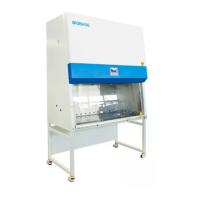
Biosafety Cabinet Class II A2
BSC-4FA2-GL/BSC-6FA2-GL
User Manual
BIOBASE GROUP
Version 2021.06

Questions and Answers

  • T
    Tyler LynchAug 9, 2025
    What to do if my Biobase BSC-4FA2-GL doesn’t work?
    • M
      Mr. Paul BrownAug 9, 2025
      First, ensure the power socket is tightly inserted. Next, check the three circuit board insurance tubes: the zero line insurance tube F3 (12.5A), the fire line insurance tube F2 (12.5A), and the transformer insurance tube F1 (125 mA) for burnout. Finally, a transformer fault or poor cable contact could cause abnormal circuit board voltage.
  • S
    Sharon JuarezAug 14, 2025
    Why is the air speed too low in my Biobase Laboratory Equipment?
    • L
      Lorraine MahoneyAug 14, 2025
      The fan speed might be set incorrectly. Also, check if the HEPA filter is blocked; refer to pressure readings. Finally, ensure airflow is balanced between input and output.
  • M
    Margaret HallAug 19, 2025
    What to do if there's no electricity in the socket of my Biobase BSC-4FA2-GL Laboratory Equipment?
    • G
      Gary LewisAug 20, 2025
      First, make sure the socket is turned on. If it is, then components or the circuit of the control panel might be broken. Also, check whether the circuit board fuse F7 (6.3A) is burnt out.
  • L
    Larry McdanielAug 25, 2025
    What to do if the front window of my Biobase BSC-4FA2-GL Laboratory Equipment doesn’t work?
    • D
      Dylan SchneiderAug 25, 2025
      Verify that the circuit board fuse F8 (6.3A) is not burnt out. If the fuse is fine, the motor may be damaged and require replacement.
  • L
    Laura CooperAug 29, 2025
    What causes a motor to buzz in Biobase BSC-4FA2-GL?
    • M
      Mark AdamsAug 29, 2025
      A motor might buzz due to low fan speed settings. Replacing the motor might also resolve the issue.
  • J
    John HuffSep 3, 2025
    What to do if the motor or fan set has a scratch or friction in my Biobase BSC-4FA2-GL Laboratory Equipment?
    • J
      Juan RodriguezSep 3, 2025
      Check the fan cage for debris such as paper or packaging and remove any obstructions. If the wind impeller is sliding on the motor shaft, consider replacing the fan.

Summary

Unpacking, Installation, Debugging

1.4 Installation

Step-by-step procedure for assembling and setting up the Biosafety Cabinet.

1.6 On-site debugging

Steps for on-site testing and adjustment by qualified personnel.

1.7 Test and standard

Details on filter integrity tests and air velocity standards for performance.

User Instructions

2.1 Product instruction

Overview of the Biosafety Cabinet's functions, applications, and filtration system.

2.1.4 User instructions

Provides essential guidance for operating the Biosafety Cabinet safely and effectively.

2.1.8 Using of UV lamp

Instructions for using the UV lamp for sterilization purposes.

Common Faults & Solution

3.1 Common faults & solution

Provides a guide for identifying and resolving common operational issues.

3.1.2 Trouble shooting

Step-by-step guide to diagnose and fix specific equipment malfunctions.

Biobase BSC-4FA2-GL Specifications

General IconGeneral
BrandBiobase
ModelBSC-4FA2-GL
CategoryLaboratory Equipment
LanguageEnglish

Related product manuals