(a)The speed of the fan is set incorrectly
(b)Check whether the HEPA filter is blockage, check pressure readings
(c)Air flow need balance between input and output.
(a)Check whether the circuit board fuse F8 6.3A is burn out
(b)Motor damaged, replace the motor
(a)Didn’t turn on the socket
(b)Components or the circuit of control panel is broken
(c)Check whether the circuit board fuse F7 6.3A is burn out.
(1)The above electrical parts must be operated by a qualified electrician in safety conditions
(cutting off power supply). The other parts are not allowed to remove; otherwise the user should take
responsibility by them;
(2)When failures are not occur, and the operator can’t solve, please notify our maintenance
department immediately. For your safety, please do not maintain equipment by yourself;
(3)The maintenance of this equipment is undertaken by trained and recognized technicians;
(4)If you need to order parts, contact the agent or our technical service department, and please
indicate the model and serial number of the cabinet purchased.
3.1.3 Simple accessories replacement
1) Replacefluorescent light
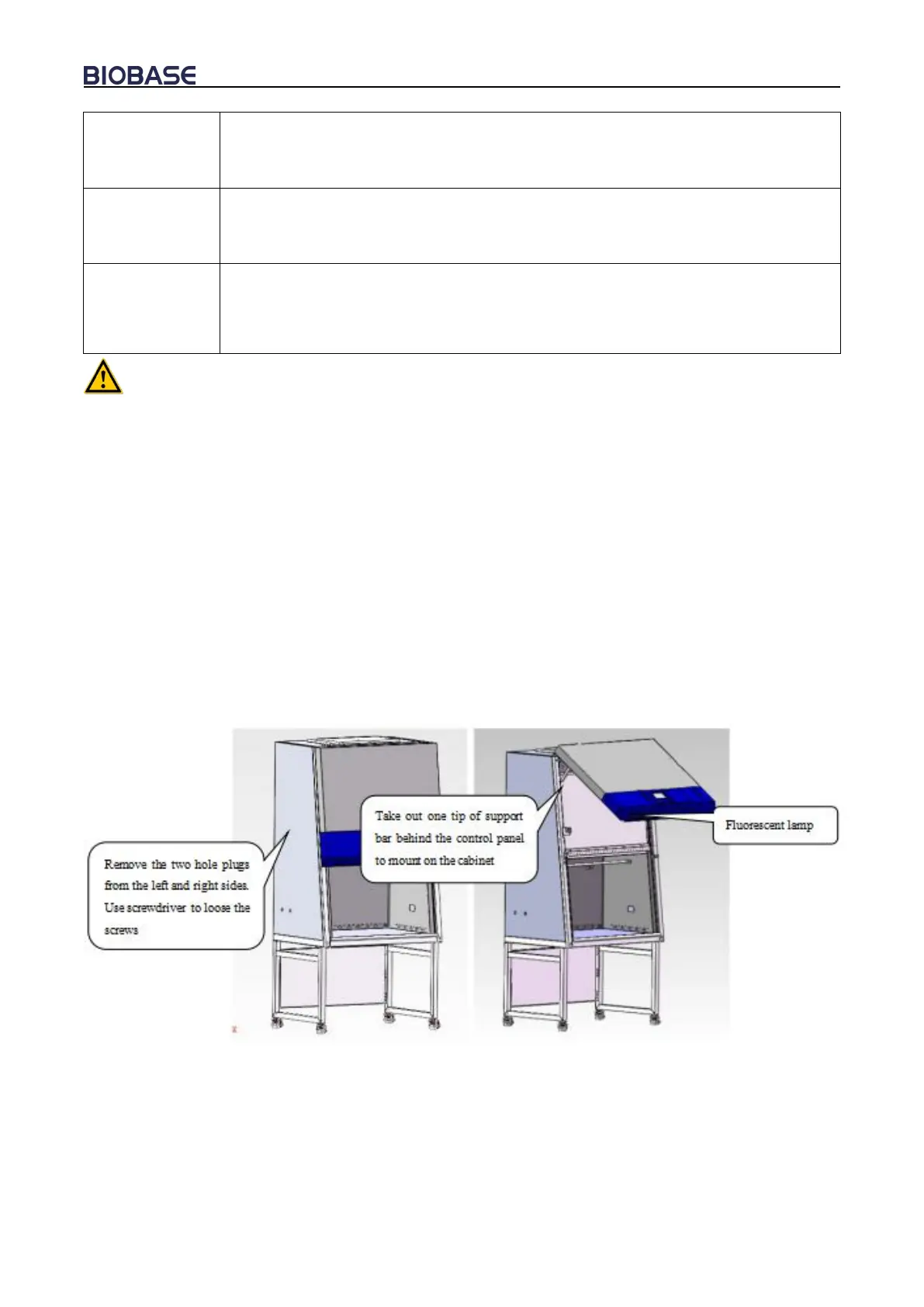
When replacing lights, make sure that the power is off, open the operation panel like shown in
Picture 16, use the control panel support frame (fixed in the inside position of the control panel as
shown), then as Picture 17 shown rotary screw off the tubes, take the correspondence type of lamp,
put it to the lamp holder and rotary screw to the right position in the opposite direction.
Picture 16


 To Next Page