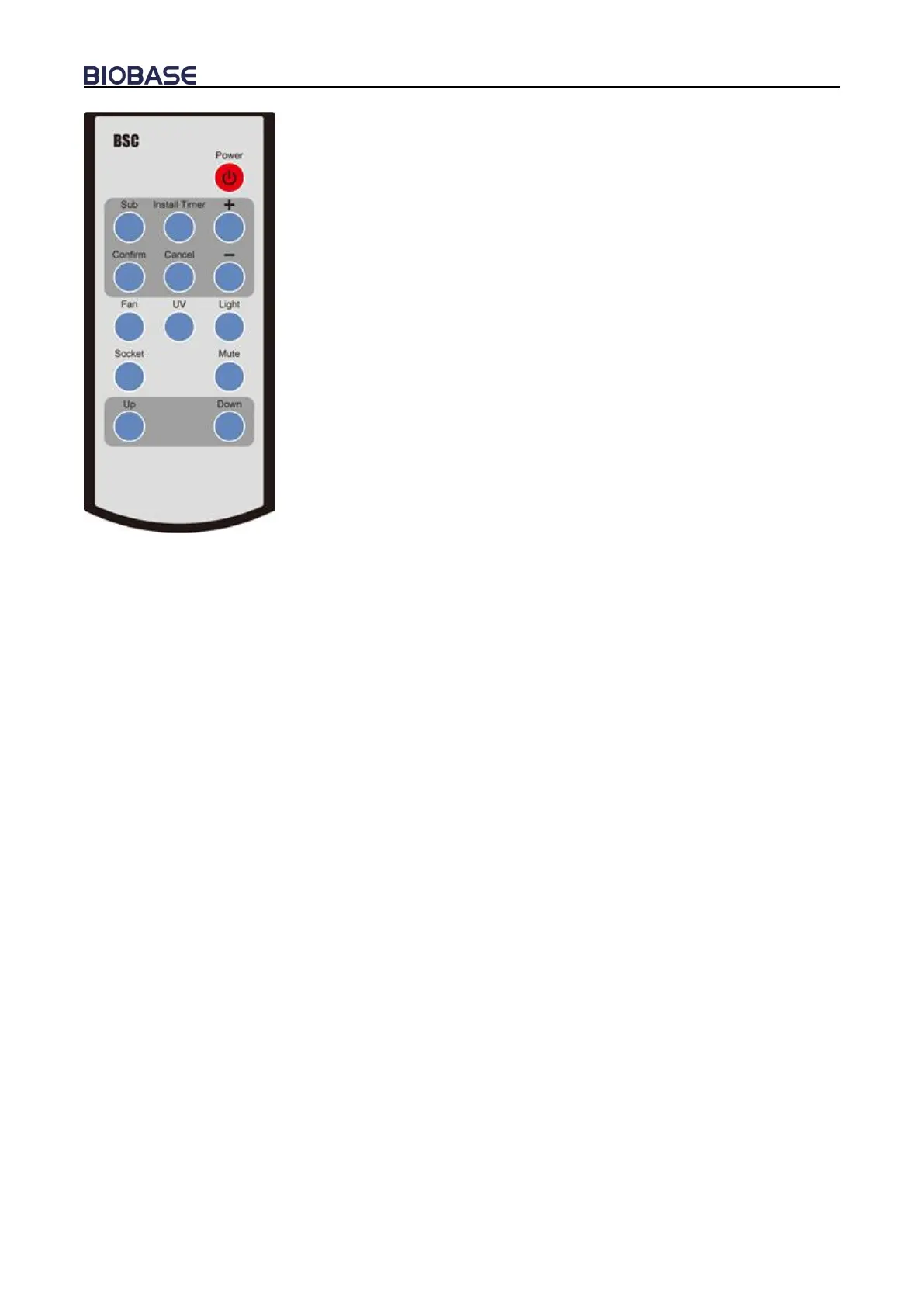
Functions of Control panel:
1.Power
2.Sub
3.Install Timer
4.Confirm
5.Cancel
6.Turn Up(+)
7.Turn Down(-)
8.Blower status(FAN)
9.UV lamp(UV)
10.Fluorescent lamp (LIGHT)
11.Socket status(SOCKET)
12.Mute status (MUTE)
13.Glass window up status(UP)
14.Glass window up status(DOWN)
Remote Control
A. Reservation Time (SUB)
a. Connect power, open power lock, and press the reservation timing button (SUB);
b. Adjust the time (minutes) by “+” or “-” button. Press the confirmation button (CONFIRM) to
confirm; and then adjust other minutes and hours position data in the same way;
c. After the time is confirmed, the corresponding display lamp lights by selecting the function
buttons (such as UV);
d. Press the POWER button again, the reservation function starts. Reserved time starts count
down. The corresponding setting function starts when the time counts down to zero.
B. Timer (INSTALL TIMER)
a. Connect power, open power lock, press button (POWER), the corresponding display lamp
lights by selecting the function buttons (such as UV);
b. Press button (INSTALL TIMER), adjust the time (minutes) by “+” or “-” button. Press button
(CONFIRM) to confirm; and then adjust other minutes and hours position data in the same
way;


 To Next Page