2h
What should I do?
The smartdot™ transmitter battery is low.
It needs to be charged.
The orange light can appear:
• When the button is pressed, and the battery is
low
• When the button is released at the end of an
injection and the battery is low
What do I see? When does this light signal appear?
What does it mean?
Orange light
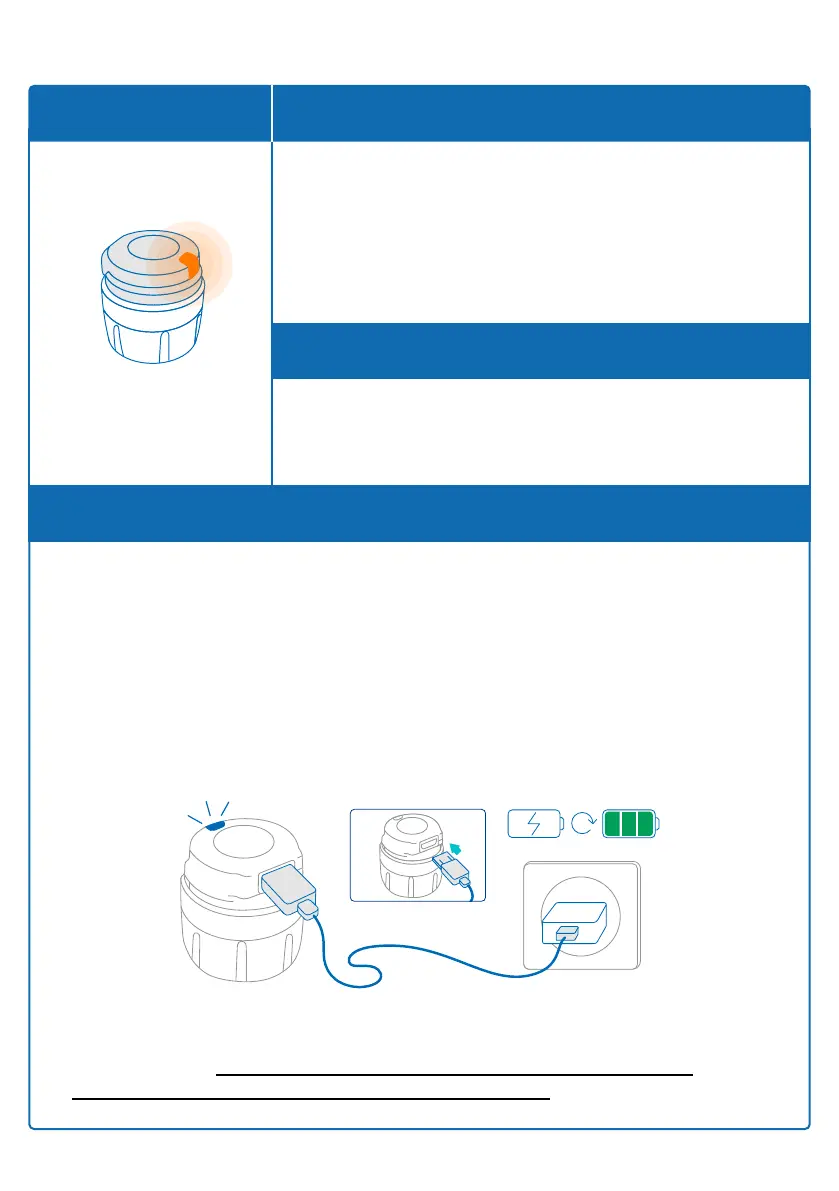
B. Charge your smartdot
TM
transmitter
1. Connect it to the supplied USB cable.
2. Connect the cable to a powered USB wall charger.
3. During charging, the transmitter will display a blinking blue light. A
complete charge can take up to 2 hours.
4. When the transmitter is fully charged, the blinking blue light will
disappear, and you can remove the charging cable.
Part 9: Troubleshooting guide
Note: If you are charging in a room where the temperature is above
25
o
C, you must deactivate smartdot™ transmitter and remove it from
your pen. See ‘Part 8: Frequently Asked Questions <C. How do I
deactivate and remove the smartdot™ transmitter’.
23



 To Next Page