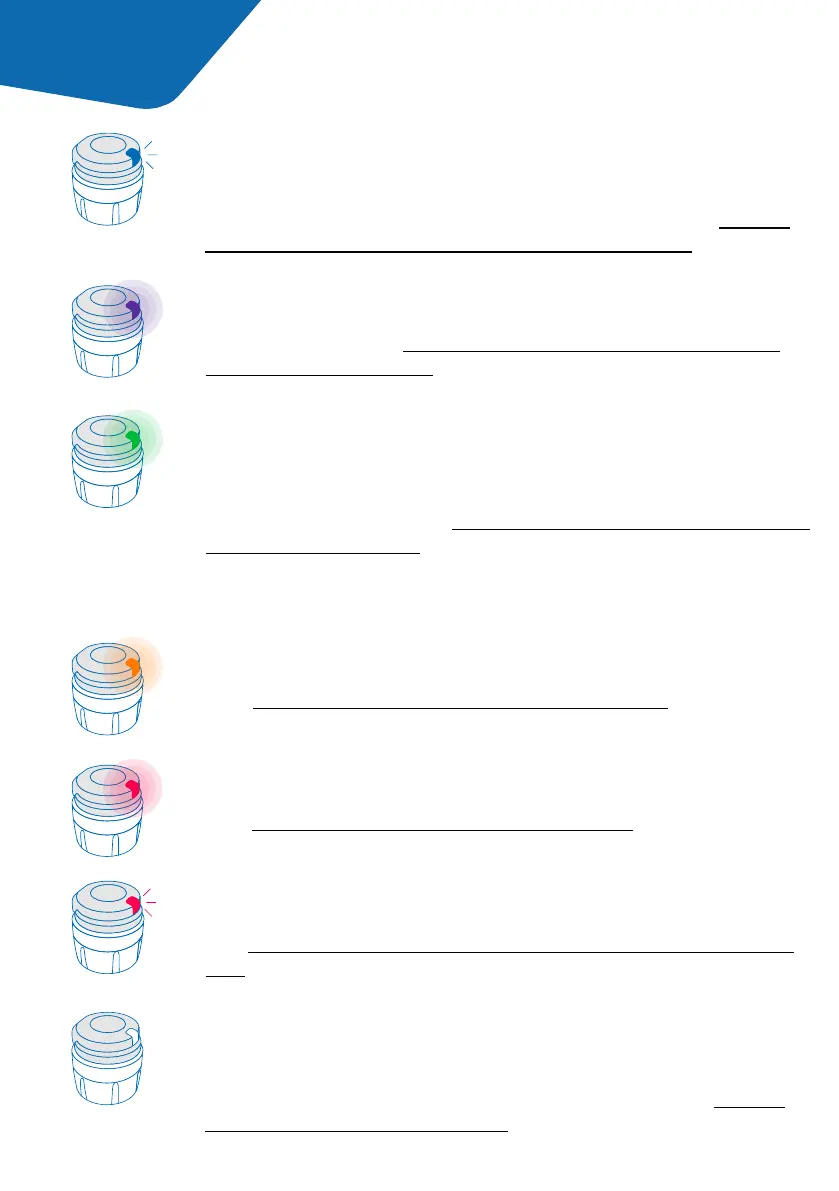
The blinking blue light shows that smartdot™ transmitter
is charging. The smartdot™ transmitter will show no light
after it is fully charged and before it is activated. See ‘Part 5:
Preparing <A. Charging your smardot™ transmitter.’
Blinking blue
The red light means smartdot™ transmitter is defective.
See ‘Part 9: Troubleshooting guide <red light.’
Red
The blinking red light means that a reset is in progress.
See ‘Part 9: Troubleshooting guide <red light <What should I
do?’
Blinking red
If the smartdot™ transmitter is paired and activated, a light
signal should be shown anytime the injection button is pressed.
If no light is shown the battery might be empty. See ‘Part 9:
Troubleshooting guide <no light’ for more details.
No signal
The green light shows that smartdot™ transmitter is success-
fully activated and ready to use. The green light will disappear
after few seconds of inactivity. To see the light again, press
the injection button. See ‘Part 5: Preparing <E. Activating your
smartdot™ transmitter.’
Green
The orange light appears when the battery is low.
See ‘Part 9: Troubleshooting guide <orange light.’
Orange
The purple light appears when activation or deactivation
is in progress. See ‘Part 5: Preparing <E. Activating your
smartdot™ transmitter’.
Purple
Part 4 smartdot™ light signals
Troubleshooting signals
7



 To Next Page