24 Biodex Medical Systems, Inc. © 2017
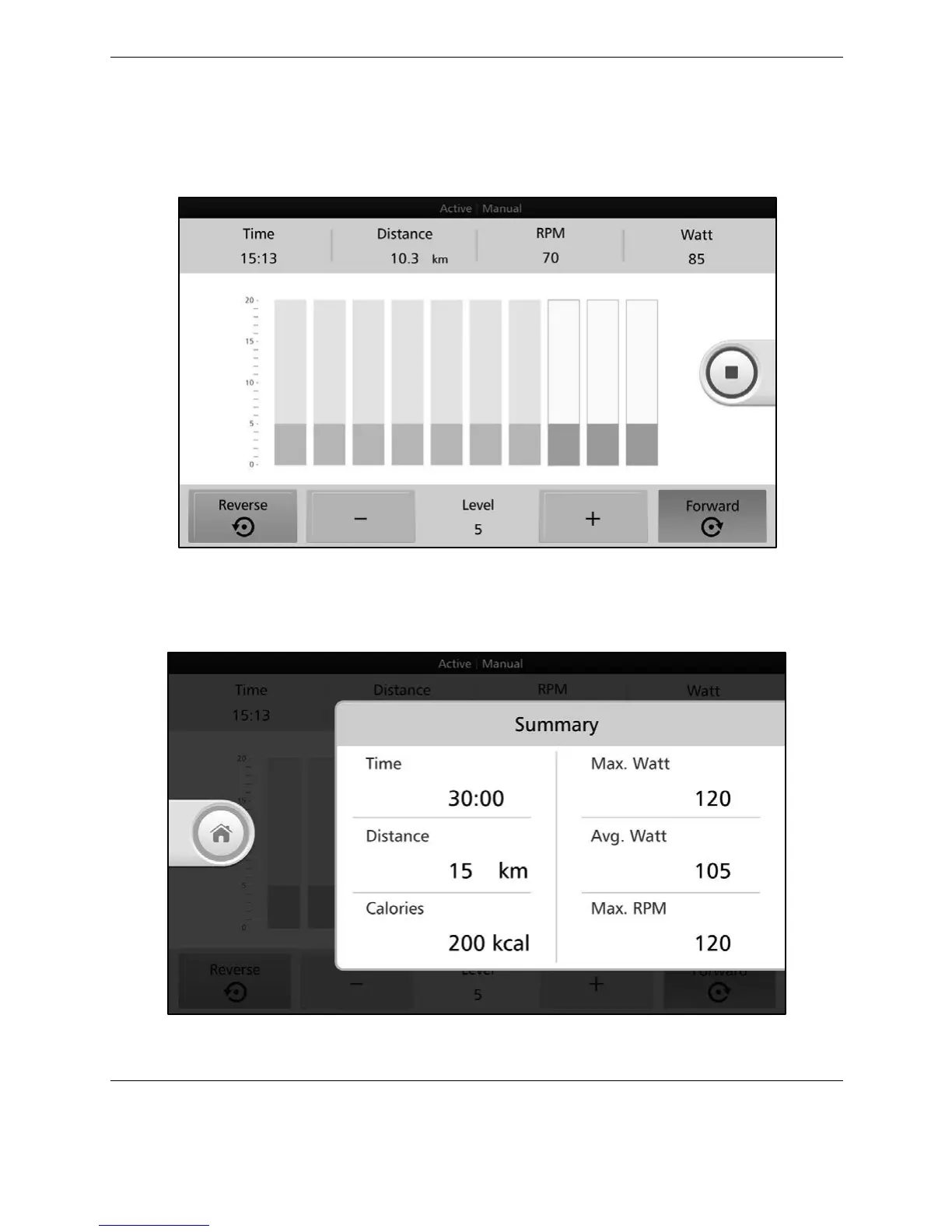
Press +/- to adjust the resistance level for the Forward and/or Reverse directions. The
resistance level can be increased or decreased throughout the exercise session, and the
pedaling direction can be changed as well. As the user completes each segment, the column
representing that segment will turn grey.
Figure 3.3. Active Manual Settings—resistance levels.
If you press the <RED SQUARE> button to stop the exercise, you will see the results data from
the workout.
Figure 3.4. Active Manual Mode Results.
Press the <Home> button to return to the Home screen.



 To Next Page