17 Biodex Medical Systems, Inc. © 2017
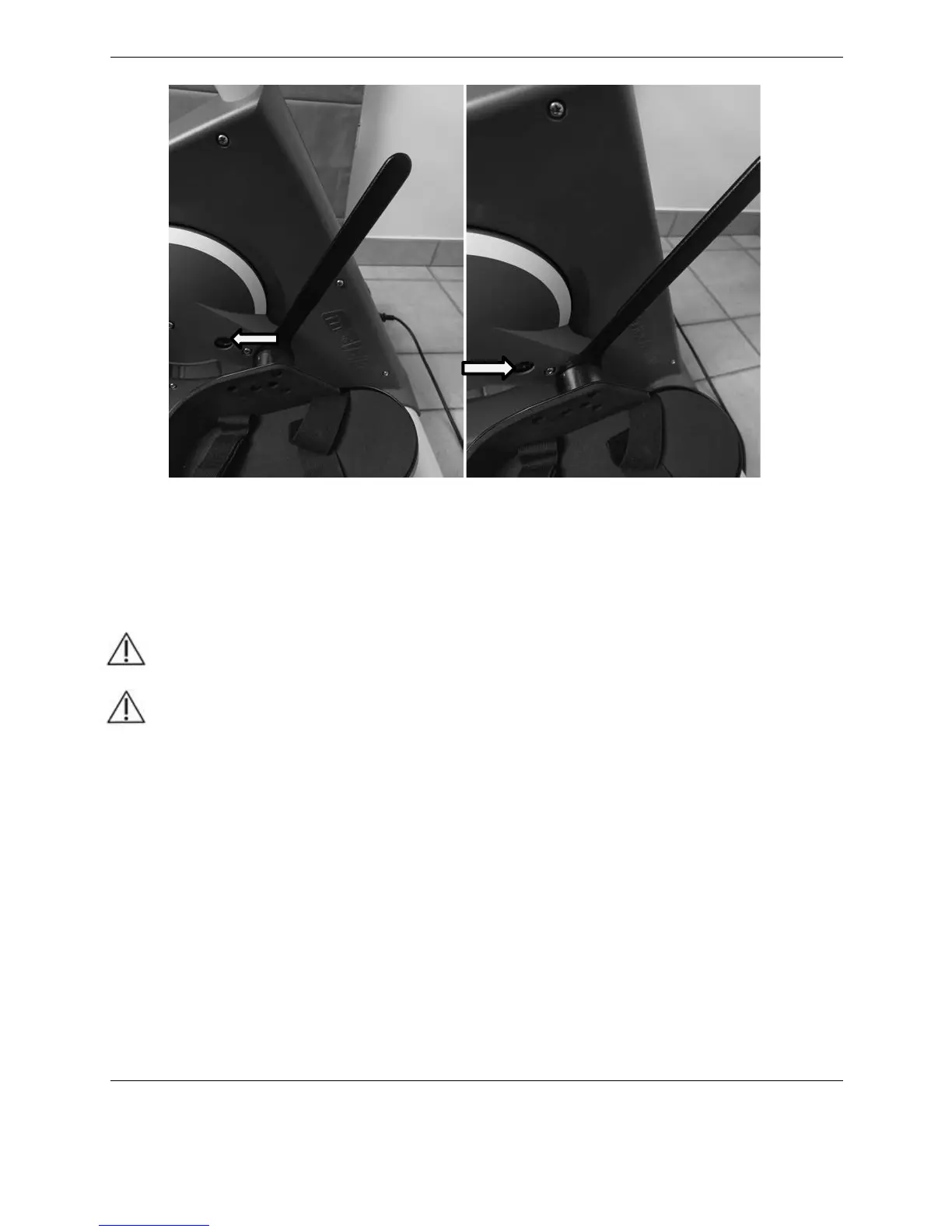
Figure 2.10. Adjusting the Pedals Using the Included Slim Wrench
This method avoids damaging the inner thread of the Allen bolt.
Positioning or Relocating the medBike
CAUTION: Before moving the medBike, make sure the power cord is detached. If left
attached, the cord plug will rub against the floor as the device is being moved,
possibly causing black marks on your flooring.
ATTENTION: Avant de déplacer le medBike , faire le cordon d'alimentation est
détaché. Si elle reste attachée , la fiche du cordon se frotter contre le sol lorsque le
dispositif est déplacé, peut provoquer des marques noires sur votre plancher.
The medBike can be easily moved across smooth surfaces. To move the medBike, remove the
power cord from the base of the device. Stand behind the device and lift the back end up,
pivoting it forward until the front wheels make contact with the floor. Push or pull the device to
a new location and set it down gently
Display and Handlebars Height Adjustment
The height of the monitor display and handlebars is conveniently adjusted with the hand-turned
knob on the front of the device.
To raise or lower the display and handlebars, loosen the knob, pull up or down on the
handlebars, and re-tighten the knob.
On / Off
To turn the device on, press the black switch on the base.



 To Next Page