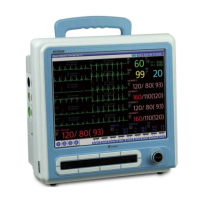
Electrocardiograph (Ver 1.0)
22 MENU Setting MENU Setting 23
BCM-600
(2) Other Menu setting
▶ Please refer the below table for the other menu
◈ The choice of the filter may distort the original signal Therefore, you’d better use
appropriately only in case the recorded signal is bad so that the distortion of ECG signal can
be reduced
And we recommend you to apply the Baseline filter and Notch Filter all the time and to
apply appropriately Muscle filter
150Hz of filter is recommend in case of printing Diagnosis
3 x 1
3 x 2
6 x 1
6 x 2
Select the Configuration type of
EKG wave to be displayed
(same way in printing)
Changeable Range Description
EKG Menu
LEAD
12.5 mm/sec
25.0 mm/sec
50.0 mm/sec
Select EKG Wave processing
speed
SPEED
5 mm/mV
10 mm/mV
15 mm/mV
Select EKG Wave Size
GAIN
40 Hz
100 Hz
150 Hz
OFF
Select EKG Filter
FILTER
ON
OFF
Muscle Artifact filter setting
MUSCLE
ON
OFF
Baseline filter setting
BASELINE
50 Hz
60 Hz
OFF
If there is input, the elimination
frequency is set.
NOTCH
MONITOR
DIAGNOSIS
FREEZE
MONITOR : Patient’s
information, WAVE display
DIAGNOSIS : Patient’s
information, WAVE, Diagnosis
information
FREEZE : Patient’s information,
WAVE output
Changeable Range Description
PRINT Menu
MODE
2 ~ 9 sec.
Time control for the WAVE print
WAVE SIZE
1 ~ 3 stage
Control the Output Density
(1-Dull,2-Normal,3-Dark)
BRIGHTNESS
30 pcs
Refer the How to use Record on
page 27
RECORDS
◈ The print processing speed, size, and channel settings comply with the setting value on
the LCD screen.
To print what are on the screen, as they are, it makes users to get more accurate
judgments
In order to change the print processing speed, size and cannel setting, Press the Menu
button to EKG menu, where you can change the setting value
◈ on Freeze in Print Mode, you can print as they are ,after checking the waves on the screen
◈ In case of no paper, "PAPER OUT" appears and you can not print
Open the printer paper cover 4 inches of the paper to be printed facing up, please insert.
Perforations, past the end of the paper should be positioned.
◈ Do not print greater than consecutive 3 times
◈ There is possibility of fire,
Do not use printing for 5min. after consecutive 3 times of printing .


 To Next Page