Electrocardiograph (Ver 1.0)
28 How to use RECORDS How to use RECORDS 29
BCM-600
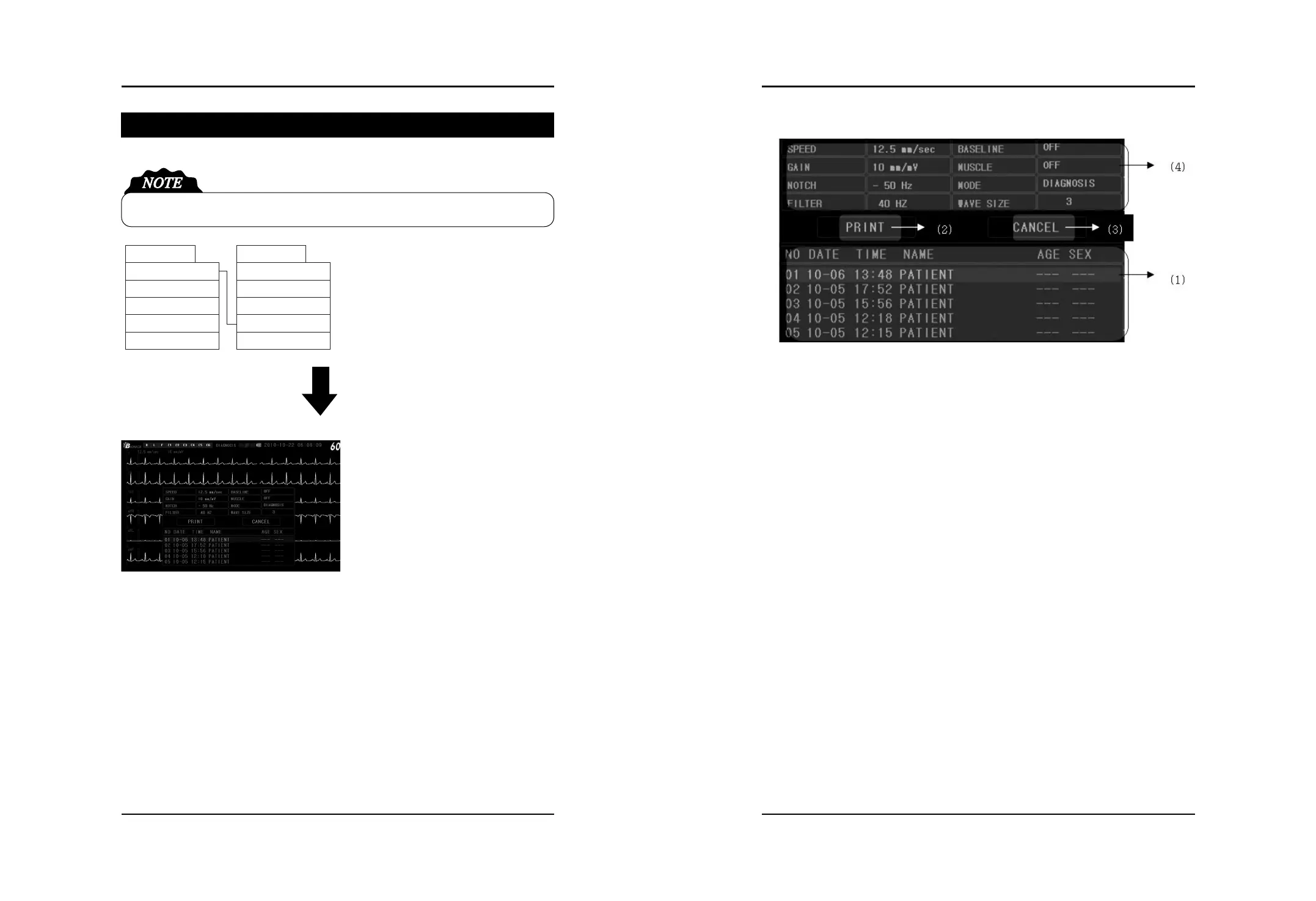
How to use RECORDS
Select RECORDS on Print Menu by
press Menu button
1. Press Menu button after moving to
Menu wanted to select by rolling the
Menu button to right or left
2. In order to change the print properties,
press the Menu button after moving to
that properties by rolling the Menu
button to right or left
3. To print, select Print Menu.
And to move to no.1, select “CANCEL”
4. Press EXIT button to close Menu


 To Next Page