19
4. Using the Device
Follow instructions carefully to get an accurate measurement of your blood pressure and pulse rate.
4.1 Setting the Date and Time
NOTE: Setting the Year/Month/Day/Hour/Minute is one sequential process
• Start with the power off, but with batteries or adapter inserted into the machine.
• Press the ON/OFF to turn the monitor on.
• Press and hold the DATE/TIME button on the back of the monitor, until the year starts to flash.
• Use the “+” button to select the correct year.
• Press the DATE/TIME button to confirm and repeat the same process to set the month/day/hour/
minute.
NOTE: In order to change any setting you must repeat the process and confirm each setting by
pushing the DATE/TIME button.
4.2 Measurement Procedures
4.2A Standard Mode:
• Start with the power off, but with batteries or adapter inserted into the
machine.
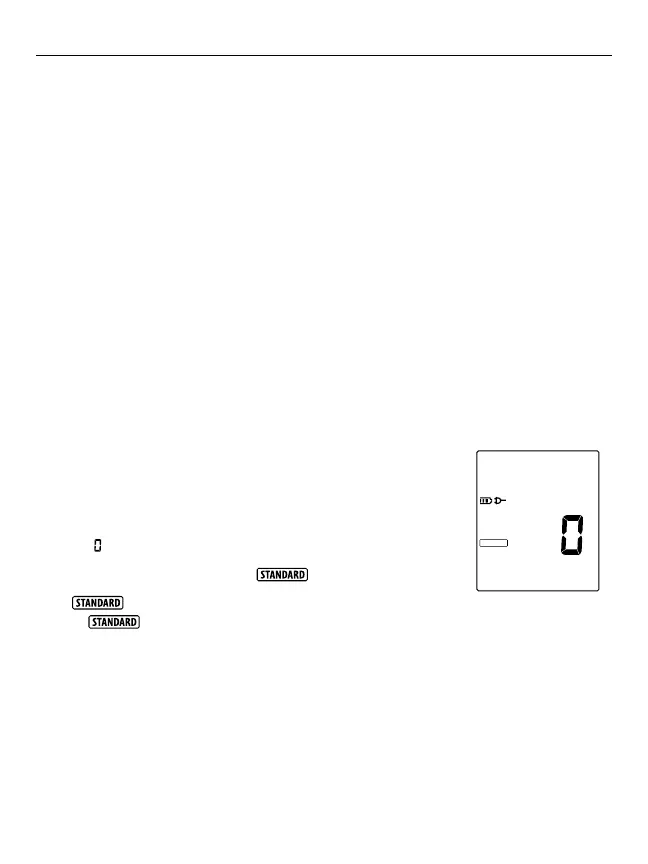
• Power on the machine by pressing the ON/OFF button. The LCD will
show
on the screen.
• The default mode is standard mode,
will appear on the screen.
• If
is not displayed on the screen, press the “M” MODE button
until is displayed.
• The blood pressure monitor will begin to take your blood pressure measurement
• When the measurement is completed, the cuff will exhaust the rest of the pressure and the
measurement will show on the LCD screen.
4.2B PulseScan Mode (PULSCAN):
Pulsescan mode takes 3 measurements in succession and calculates the results and displays it as a
single average measurement.
• Start with the power off, but with batteries or adapter inserted into the machine.
STANDARD














 To Next Page