Need help?
Do you have a question about the Biostar B450MX and is the answer not in the manual?
Provides essential instructions for preparing a safe and optimal environment for motherboard installation.
Lists all items included in the motherboard package for user verification.
Details technical specifications for CPU, Chipset, Memory, Storage, LAN, Audio, USB, and Expansion Slots.
Illustrates and describes the rear panel connectors for the motherboard, including their functions.
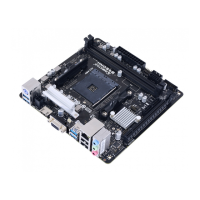
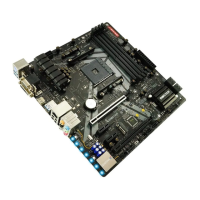
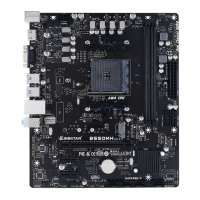
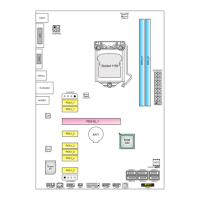
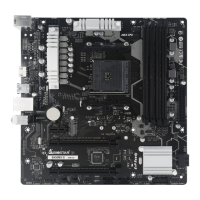
Provides a visual diagram of the motherboard, labeling key components and headers for easy identification.
Step-by-step guide on how to safely install the CPU into the motherboard socket.
Detailed instructions for installing CPU heatsink and fan assembly, covering different types.
Explains how to connect CPU and system fans to the appropriate motherboard headers.
Guides users on how to properly install DDR4 memory modules into the motherboard slots.
Details the specifications and installation procedure for various PCI-Express and M.2 expansion slots.
Explains how to set jumpers, specifically focusing on the JCMOS1 for clearing CMOS settings.
Describes the ATX power connectors and internal headers for system power and connectivity.
Explains how to access and navigate the BIOS Setup program for system configuration.
Details the methods for updating the motherboard's BIOS using BIOSTAR utilities.
Covers installing and launching software utilities, including BIOScreen for boot logo customization.
Guides users through the process of installing necessary drivers from the provided DVD for optimal performance.
Lists beep codes used by AMI BIOS to diagnose boot or hardware issues.
Provides a comprehensive list of POST codes and their corresponding error descriptions for diagnosing boot problems.
Offers solutions for common system issues like no power, inoperative system, boot failures, and CPU overheating.
Explains RAID 0, 1, and 10 definitions, features, benefits, and drawbacks for data storage.
Provides motherboard specifications translated into Arabic for users.
Provides motherboard specifications translated into German for users.
Provides motherboard specifications translated into Russian for users.
Provides motherboard specifications translated into Spanish for users.
Provides motherboard specifications translated into Thai for users.
Provides motherboard specifications translated into Japanese for users.
 General
| Processor socket | Socket AM4 |
|---|---|
| Processor manufacturer | AMD |
| Compatible processor series | AMD Athlon, AMD Ryzen 3, AMD Ryzen 3 2nd Gen, AMD Ryzen 5, AMD Ryzen 7, AMD Ryzen 9 3rd Gen |
| Maximum number of SMP processors | 1 |
| Audio chip | Realtek ALC887 |
| Component for | PC |
| Motherboard chipset | AMD B450 |
| PC health monitoring | CPU, FAN, Temperature, Voltage |
| Audio output channels | 7.1 channels |
| Motherboard form factor | micro ATX |
| Windows operating systems supported | Windows 10 x64, Windows 7 x64 |
| Memory channels | Dual-channel |
| Memory slots type | DIMM |
| Number of memory slots | 4 |
| Supported memory types | DDR4-SDRAM |
| Maximum internal memory | 128 GB |
| Supported memory clock speeds | 4066, 1866, 2133, 2400, 2667, 2933, 3200, 3600, 4000, 4133, 4200, 4266, 4333 MHz |
| HDCP | Yes |
| DirectX version | 12.0 |
| Parallel processing technology support | - |
| USB 2.0 connectors | 2 |
| USB 3.2 Gen 2 (3.1 Gen 2) connectors | 0 |
| RAID levels | 0, 1, 10 |
| Supported storage drive types | HDD & SSD |
| Supported storage drive interfaces | M.2, SATA III |
| Wi-Fi | No |
| LAN controller | Realtek RTL8111H |
| Ethernet interface type | Gigabit Ethernet |
| USB 2.0 ports quantity | USB 2.0 ports have a data transmission speed of 480 Mbps, and are backwards compatible with USB 1.1 ports. You can connect all kinds of peripheral devices to them. |
| Cables included | SATA |
| Bundled software | BullGuard |
| Harmonized System (HS) code | 84733020 |
 Weight and Dimensions
| Depth | 244 mm |
|---|

 To Next Page