8 | Chapter 2: Hardware installaon
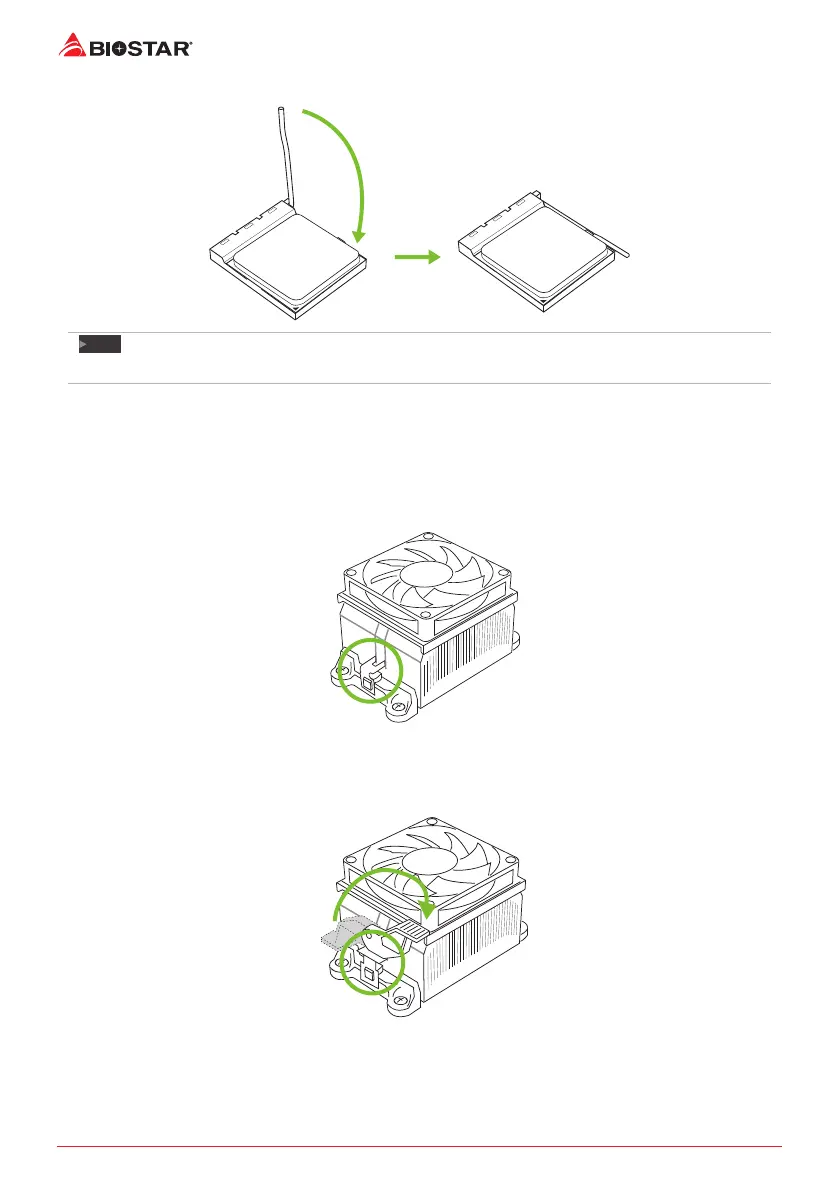
Step 4: Hold the CPU down rmly, and then close the lever to locked the posion
Note
»
PleaseturnothePowerSupplybeforeremovetheCPUsocket.
2.2 Install a Heatsink
<TypeA>
Step 1: Place the heatsink and fan assembly onto the retenon frame. Match the heatsink clip
with the socket mounng-lug. Hook the spring clip to the mounng-lug.
Step 2: On the other side, push the retenon clip straight down to lock into the plasc lug on
the retenon frame, and then press down the locker unl it stops.


 To Next Page