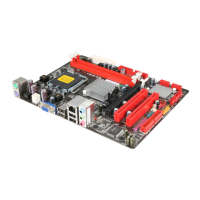
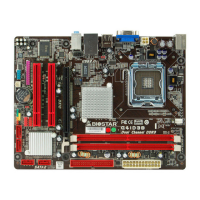
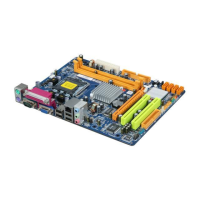
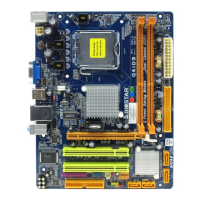
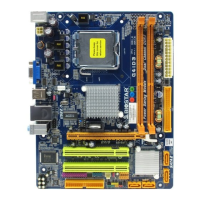
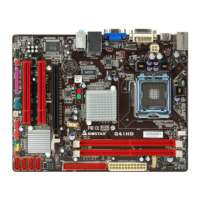
What to do if my Biostar G41D3 Motherboard has no power?
- MMorgan GrayJul 26, 2025
If your Biostar Motherboard has no power, ensure the power cable is securely plugged in. If the issue persists, try replacing the power cable.

What to do if my Biostar G41D3 Motherboard has no power?
If your Biostar Motherboard has no power, ensure the power cable is securely plugged in. If the issue persists, try replacing the power cable.
What to do if Biostar G41D3 Motherboard system does not boot from hard disk drive?
If your Biostar Motherboard system doesn't boot from the hard disk drive but boots from the optical drive, check the cable running from the disk to the disk controller board. Ensure both ends are securely plugged in and verify the drive type in the standard CMOS setup. It's also important to back up your hard drive, as hard disks can fail at any time.
Why does my Biostar G41D3 Motherboard show “Invalid Configuration” or “CMOS Failure”?
If your Biostar Motherboard displays an “Invalid Configuration” or “CMOS Failure” message, review the system’s equipment and ensure the correct information is in the setup.
How to fix Biostar G41D3 that cannot boot after installing a second hard drive?
If your Biostar Motherboard cannot boot after installing a second hard drive, set the master/slave jumpers correctly. Also, run the SETUP program and select the correct drive types.
| Form Factor | Micro ATX |
|---|---|
| Chipset | Intel G41 |
| CPU Socket | LGA 775 |
| Memory Type | DDR3 |
| Maximum Memory | 8 GB |
| Storage Interface | 4 x SATA 3Gb/s |
| USB Ports | 8 x USB 2.0 (4 rear, 4 via headers) |
| Audio | Realtek ALC662 6-Channel HD Audio |
| CPU Support | Intel Core 2 Quad, Core 2 Duo, Pentium Dual-Core, Celeron |
| Memory Slots | 2 x DIMM |
| Memory Speed | 1066/800 MHz |
| Expansion Slots | 1 x PCIe x16, 1 x PCI |
| Rear Panel I/O Ports | 1 x PS/2 keyboard, 1 x PS/2 mouse, 1 x VGA, 4 x USB 2.0, 1 x RJ-45 LAN, 3 x audio jacks |
Displays system info, date, time, and configures floppy drive type.
Manages onboard IDE controller, SATA channels, and device parameters.
Configures CPU features like SpeedStep, C-STATE, and prefetchers for performance.
Manages serial, parallel, floppy controllers, keyboard, and mouse functions.
Monitors system temperature, fan speeds, voltage; configures fan behavior.
Controls ACPI settings, suspend modes, and system power management.
Manages USB controller mode, legacy support, and mass storage emulation.
Configures NVRAM, Plug & Play OS, PCI latency, and IRQ allocation.
Manages IRQ and DMA channel assignments for PCI devices.
Configures PCI Express power management features.
Sets the boot sequence for storage devices like HDD, CD/DVD, and USB.
Configures quick boot, logo display, NumLock state, and boot success beep.
Manages memory remapping, integrated graphics adapter, and display modes.
Configures USB ports, onboard audio, LAN control, and SMBUS.
Adjusts CPU frequency, PCIE clock, voltages, and DRAM timings for optimization.
Provides options to save, discard changes, or load factory default settings.
Manages supervisor/user passwords and boot sector virus protection.
Loading...