EasyManua.ls Logo

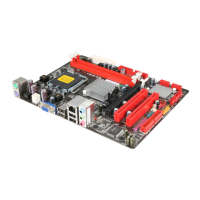
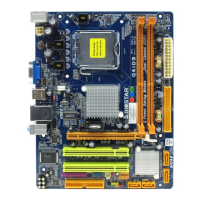
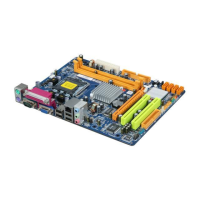
Biostar G41D3B - User Manual

Biostar G41D3B
34 pages
Print Icon
To Next Page IconTo Next Page
Loading...
G41D3B BIOS Manual
i
BIOS Setup.................................................................................................1
1 Main Menu...............................................................................................3
2 Advanced Menu.......................................................................................7
3 PCIPnP Menu........................................................................................17
4 Boot Menu..............................................................................................20
5 Chipset Menu.........................................................................................23
6 Performance Menu...............................................................................28
7 Exit Menu...............................................................................................31

Other manuals for Biostar G41D3B

Questions and Answers

  • J
    James CareyJul 31, 2025
    What to do if Biostar G41D3B Motherboard has no power?
    • S
      Sarah HamptonJul 31, 2025
      If your Biostar Motherboard system shows no power, with the Power LED off and the power supply fan not working, ensure the power cable is securely plugged in. If the problem persists, try replacing the power cable. If these steps do not resolve the issue, further assistance may be needed.
  • K
    Kelli SchwartzAug 7, 2025
    What to do if Biostar G41D3B Motherboard won't boot from hard drive?
    • D
      Deborah SandersAug 7, 2025
      If your Biostar Motherboard doesn't boot from the hard disk drive but boots from the optical drive, check the cable running from the disk to the disk controller board, ensuring both ends are securely plugged in. Also, verify the drive type in the standard CMOS setup. It's also important to back up your hard drive, as hard disks can fail at any time.
  • D
    David BernardAug 15, 2025
    How to fix “Invalid Configuration” or “CMOS Failure” on Biostar G41D3B Motherboard?
    • C
      casejulieAug 15, 2025
      If your Biostar Motherboard displays an “Invalid Configuration” or “CMOS Failure” message, review the system’s equipment and ensure the correct information is in the setup.
  • V
    Veronica HinesAug 22, 2025
    What to do if Biostar G41D3B Motherboard cannot boot after installing a second hard drive?
    • A
      Ana TaylorAug 22, 2025
      If your Biostar Motherboard cannot boot after installing a second hard drive, set the master/slave jumpers correctly. Then, run the SETUP program and select the correct drive types. You may also call the drive manufacturers for compatibility information with other drives.

Summary

Main Menu

AMI BIOS Overview

Displays system information like BIOS version and build date.

System Memory and Time

Shows system memory size, VGA shard memory, and sets system time.

System Date Settings

Allows setting the system's date.

IDE;SATA Device Configuration

Detects and configures IDE/SATA devices and channels.

Advanced Menu

CPU Configuration

Displays CPU information and allows advanced CPU settings.

SuperIO Configuration

Configures Super I/O chipset settings like serial and parallel ports.

Hardware Health Monitoring

Shows system temperature, fan speed, and voltage information.

Power Configuration

Manages ACPI and power management settings.

USB Configuration

Configures USB controller modes and legacy support.

PCIPnP Menu

NVRAM and Plug and Play

Manages NVRAM clearing and Plug and Play OS settings.

PCI Resource Allocation

Configures PCI latency, IRQ allocation, and resources.

Boot Menu

Boot Device Priority

Sets the sequence for booting from various devices.

Boot Settings Control

Configures boot tests, logo display, and ROM options.

Chipset Menu

North Bridge Configuration

Configures North Bridge chipset features like memory remapping.

South Bridge Configuration

Configures South Bridge chipset features like USB and Audio controllers.

Performance Menu

CPU and PCIE Frequency

Adjusts CPU and PCIE clock frequencies.

DRAM Frequency and Timing

Controls DRAM frequency and timing parameters.

Exit Menu

Save and Discard Changes

Options to save, discard, or load default BIOS settings.

Security Settings

Password Management

Manages supervisor and user passwords and access levels.

Virus Protection

Configures boot sector virus warnings and password checks.

Biostar G41D3B Specifications

General IconGeneral
BrandBiostar
ModelG41D3B
CategoryMotherboard
LanguageEnglish

Related product manuals