Need help?
Do you have a question about the Biostar G41D3+ and is the answer not in the manual?
Manages advanced CPU settings like SpeedStep, C-STATE, prefetchers, and core settings.
Displays system health, temperature, fan speed, and fan control settings.
Configures suspend modes, ACPI features, and power-related functions.
Defines the sequence for booting from Hard Disk, Removable, and CD/DVD drives.
Manages memory remapping, graphics adapter, and video memory settings.
Adjusts CPU frequency, PCIE clock, and PSI control for performance.
Configures CPU, FSB, Memory, Chipset voltages and DRAM timings.
 General
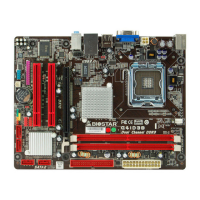
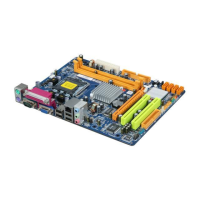
| Number of memory slots | 2 |
|---|---|
| Maximum internal memory | 8 GB |
| Supported memory clock speeds | 800, 1066, 1333 MHz |
| Processor socket | LGA 775 (Socket T) |
| Maximum number of SMP processors | 1 |
| Power fan connector | Yes |
| Number of SATA connectors | 4 |
| USB 2.0 ports quantity | USB 2.0 ports have a data transmission speed of 480 Mbps, and are backwards compatible with USB 1.1 ports. You can connect all kinds of peripheral devices to them. |
| Firewire (IEEE 1394) ports | 0 |
| Audio chip | Realtek ALC662 |
| Power source type | ATX |
| Audio output channels | 5.1 channels |
| Motherboard form factor | micro ATX |
| Compatible operating systems | Windows 2000/XP/Vista/7 |
| Maximum graphics card memory | 1759 MB |
| Parallel processing technology support | Not supported |
| LAN controller | Realtek RTL8103E(L) |
| Networking features | Fast Ethernet |
| BIOS type | - |
 Weight and Dimensions
| Depth | 182 mm |
|---|---|
| Width | 235 mm |

 To Next Page