Motherboard Manual
22
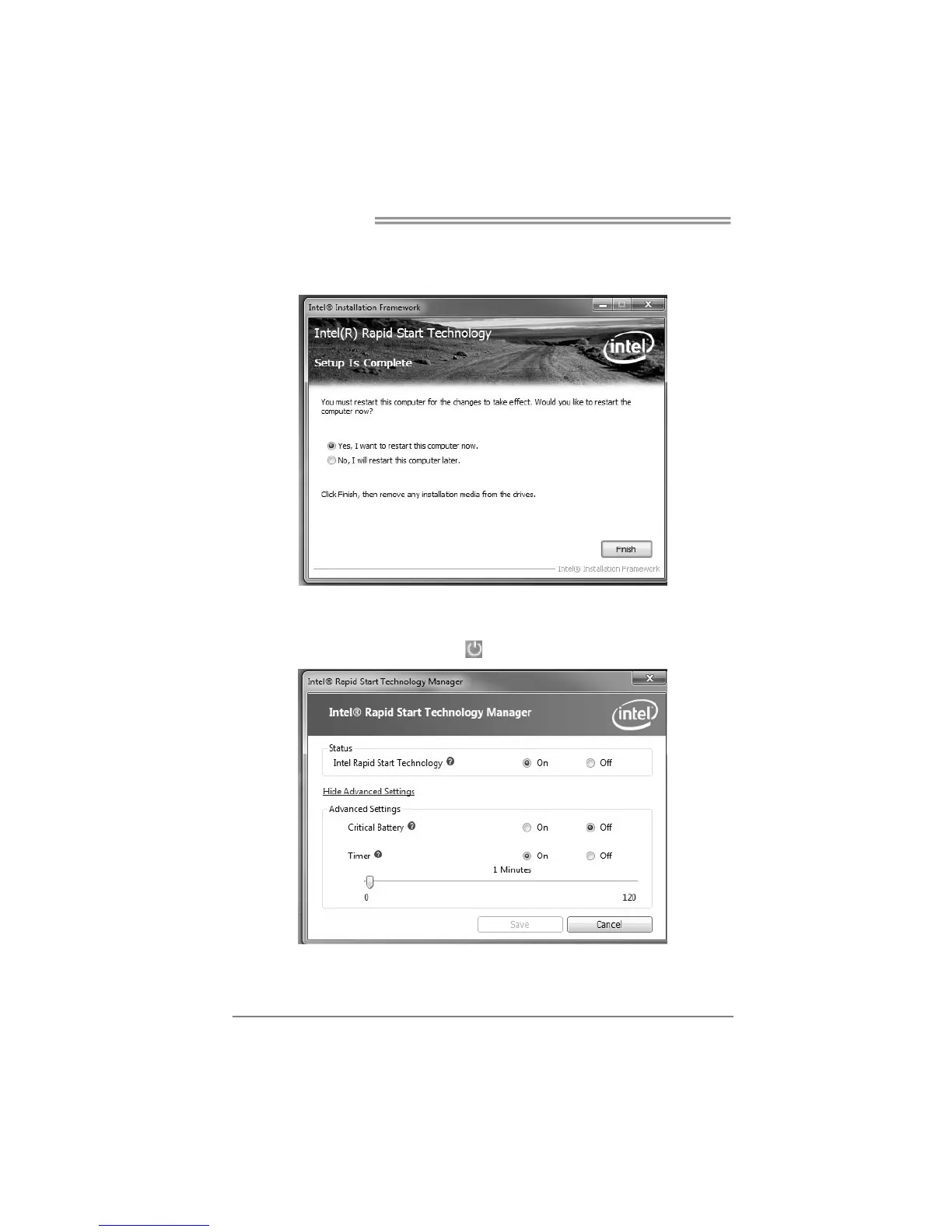
3-3 After rebooting, the system will setup Intel® Rapid Start Technology
automatically. We recommend you restart the system after this installation is
complete,
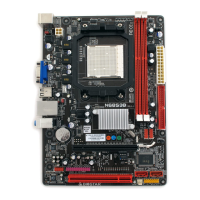
Step 4: Configuring Intel® Rapid Start Application
Launch the Intel® Rapid Start Technology Manager application from [Start] > [All
Programs] > [Intel] or click the icon in the notification area.







 To Next Page