11
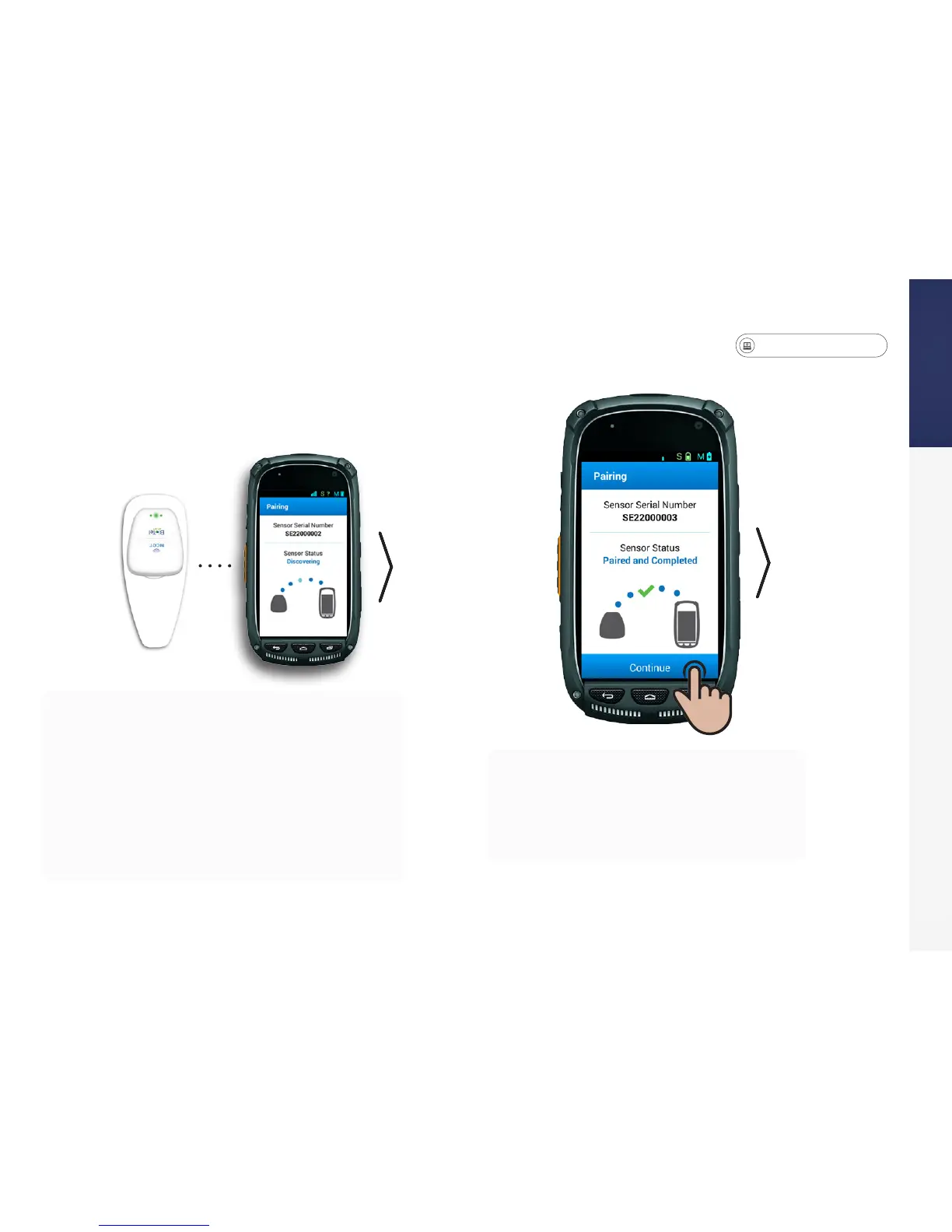
STEP 4: Pair the Sensor and Monitor
• You will need to review a series of
questions before monitoring can begin.
• Read the text on each screen and select the
appropriate response.
• Pick up the patch so it is near the monitor. The
sensor and monitor should automatically link to
each other via Bluetooth.
• Some monitor models may differ; if prompted
with a Bluetooth pairing request, tap OK to start a
connection. If the pairing process is successful, a
green checkmark will be displayed on the screen.
Press Continue to move to the next screen.


 To Next Page