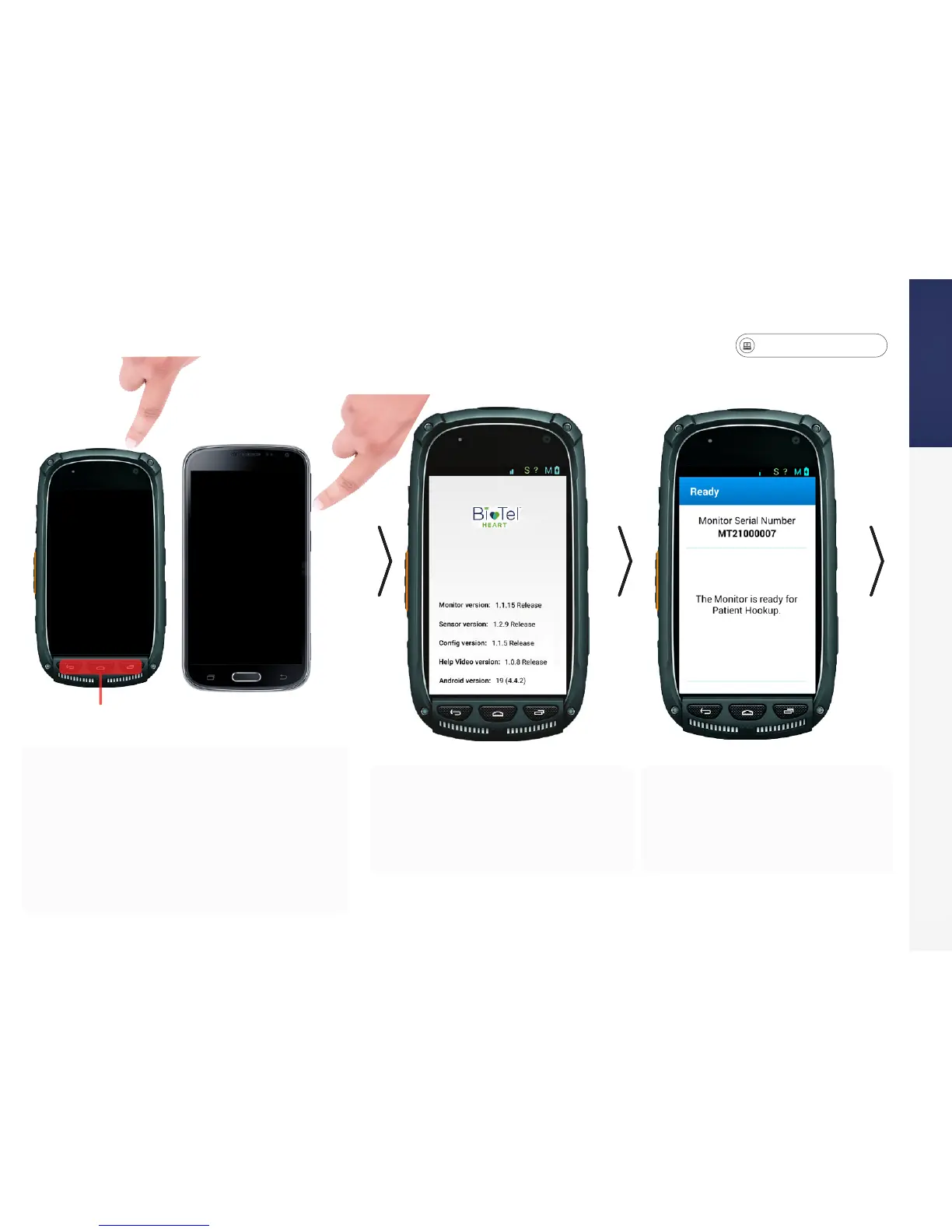
• Locate the monitor in your kit. Press
and hold the Power button to turn on the
monitor. Depending on the model of the
monitor, the Power button is located at
the top or on the side of the monitor.
• Depending on type of monitor, the
buttons at the bottom may be used to
wake your monitor from sleep mode.
• The monitor will run through
a few screens. It may take up
to two minutes to get to the
starting screen.
• The text on this screen
conrms the monitor is
ready for set-up.
Disabled
Power ON the Monitor


 To Next Page