21
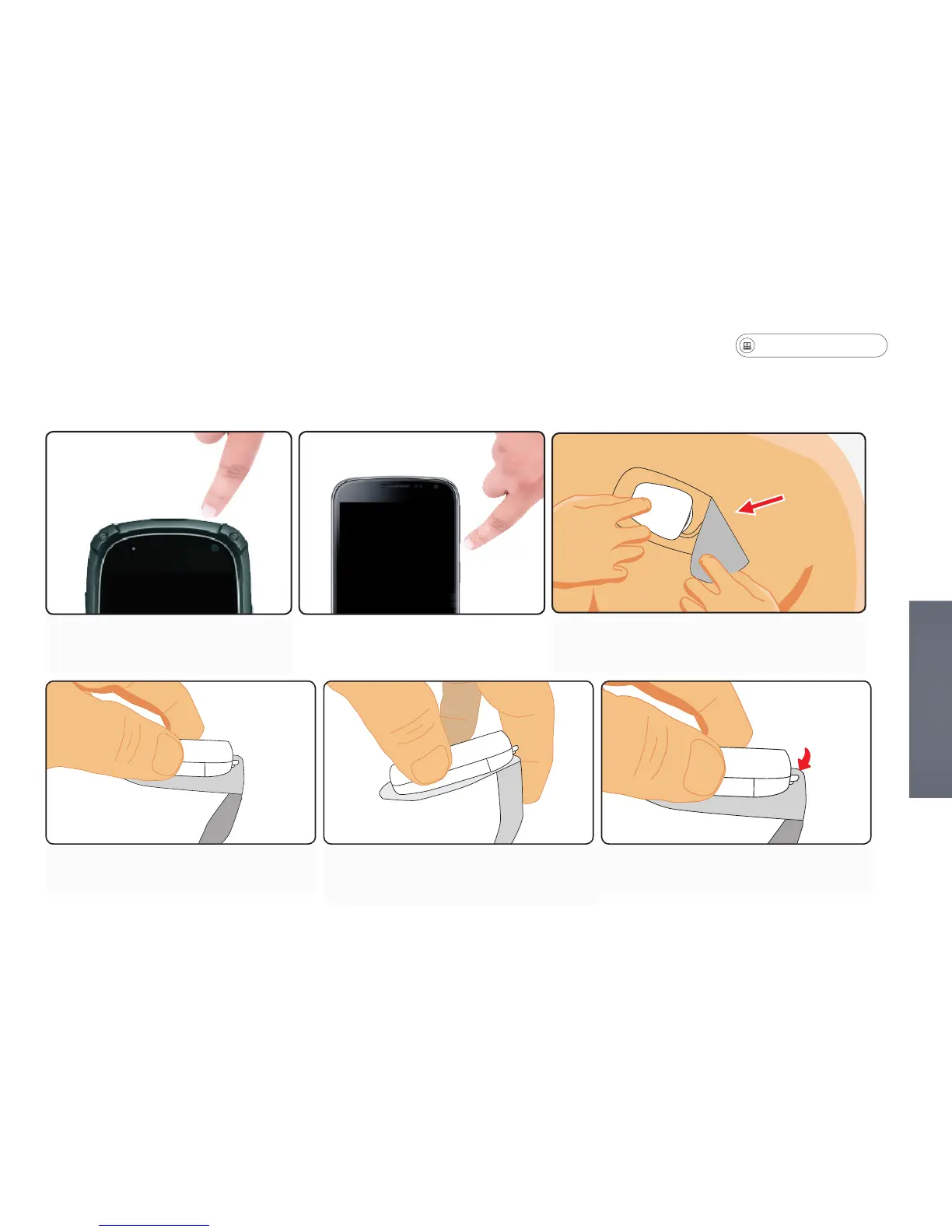
Removing the Sensor from the Patch
1. Hold patch as shown. 2. Fold clear adhesive on top of
itself to get out of way for next step.
3. Locate patch Tab.
Start at one end and pull the patch
material away from your body to remove
the patch.
Before removing the MCOT
Patch, turn off the monitor.
Depending on the duration of your prescription, you may need to change the patch several times
throughout your monitoring period. Remove the patch when the sensor battery is low and requires
charging, or if the patch is loose and needs to be replaced.


 To Next Page