6
STEP 2: Monitor Set-Up
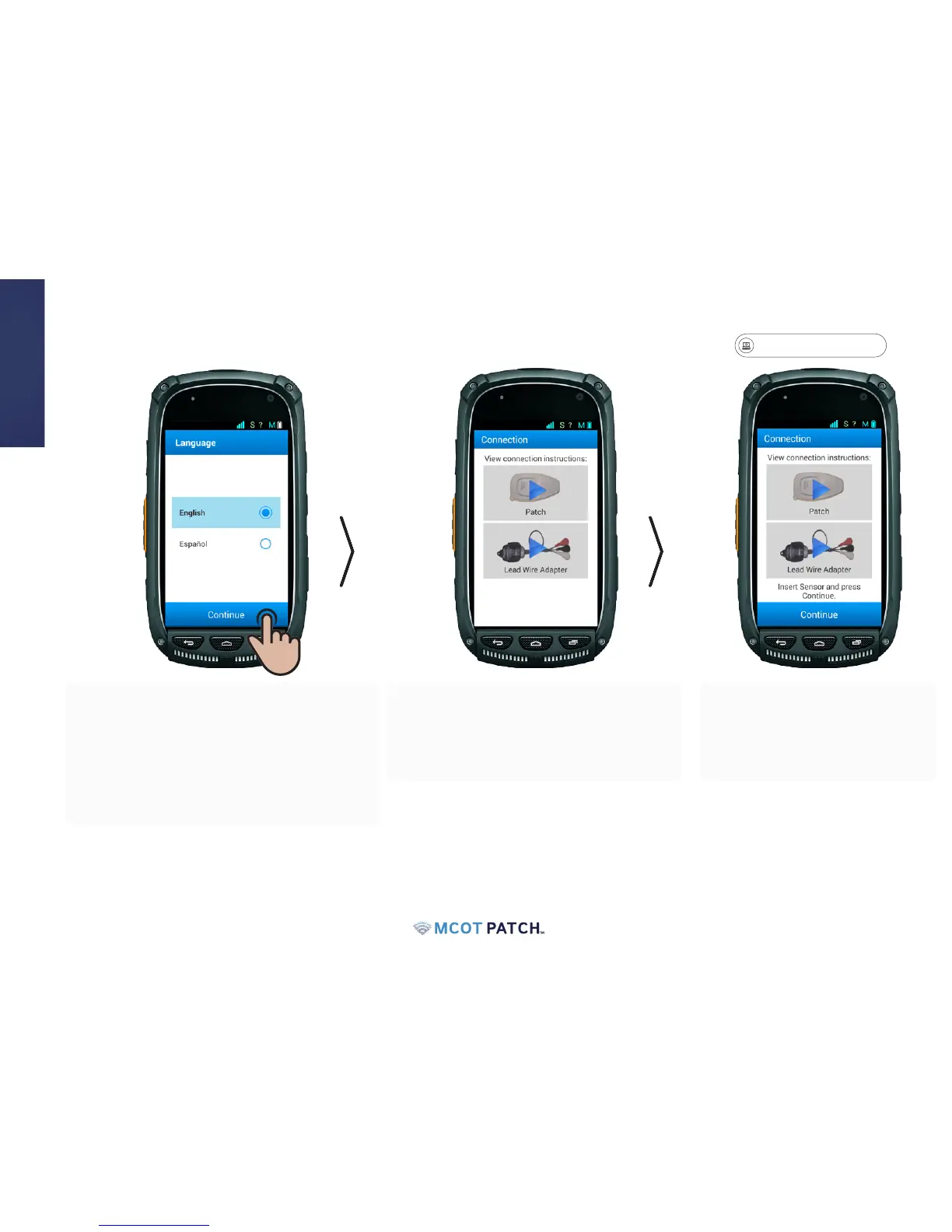
• During the set-up process, you will be
required to select a connection type. To
view the video, press the blue arrow on
the image that says "Patch".
• When you nish watching the
video, set the monitor aside
and proceed to Step 3: "Attach
Sensor to the Patch".
• Select the appropriate language option and
press continue.
• Note: If your screen goes dark now, or anytime
throughout your monitoring process, it is in
sleep mode. To wake, press and release the
power button.


 To Next Page