Shenzhen Bigtree Technology Co.,Ltd
31
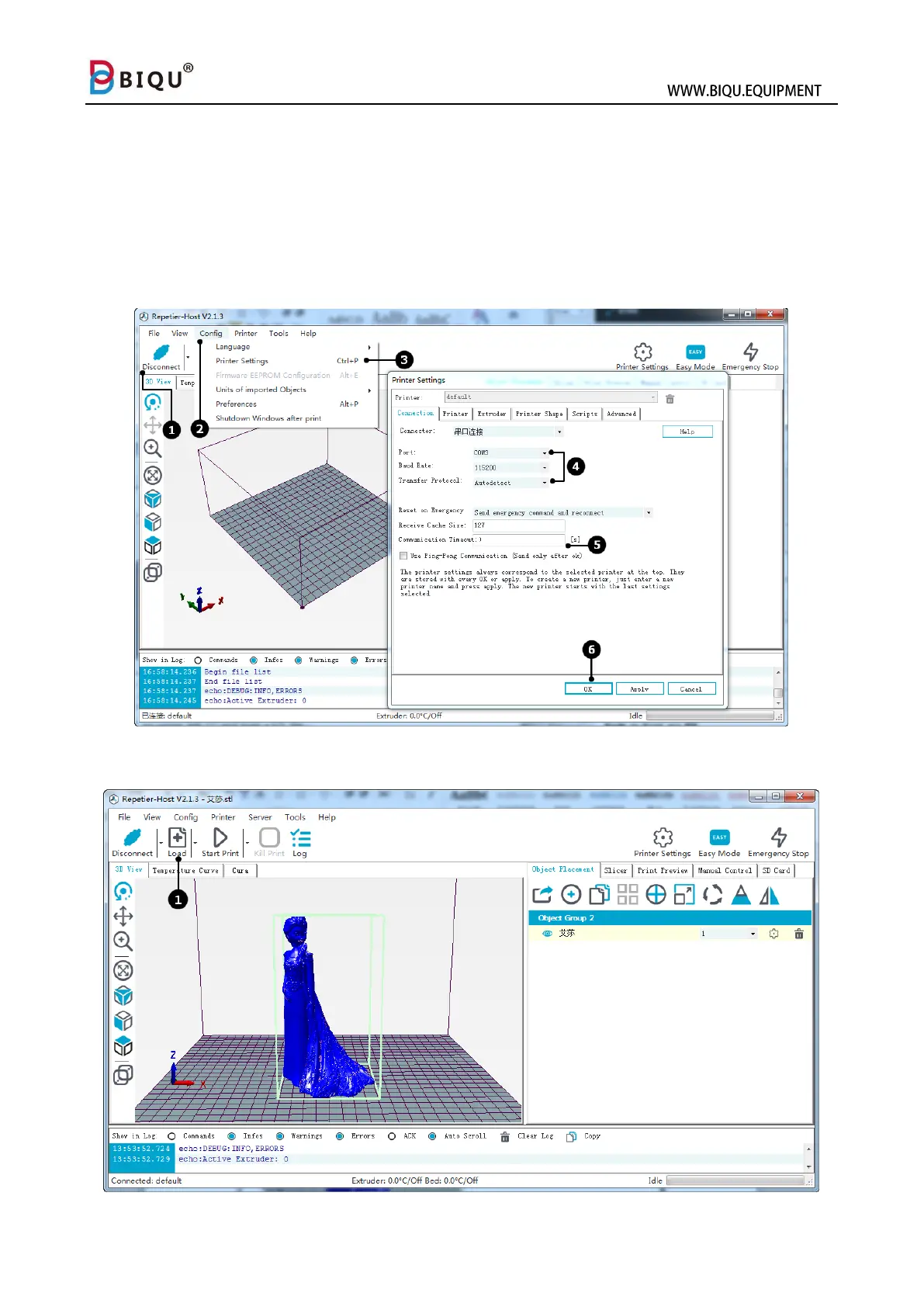
Click Config (2)
Choose printer setting (3)
Select port, baud rate, and transfer protocol (4)
Check and use Ping-Pong communication (5)
Click OK (6)
The icon on the upper left will become blue when connect successfully (1)
Step four: click “load” on upper left (1) and load a STL file.



 To Next Page