Bird SiteHawk Operation Manual
37
System Settings
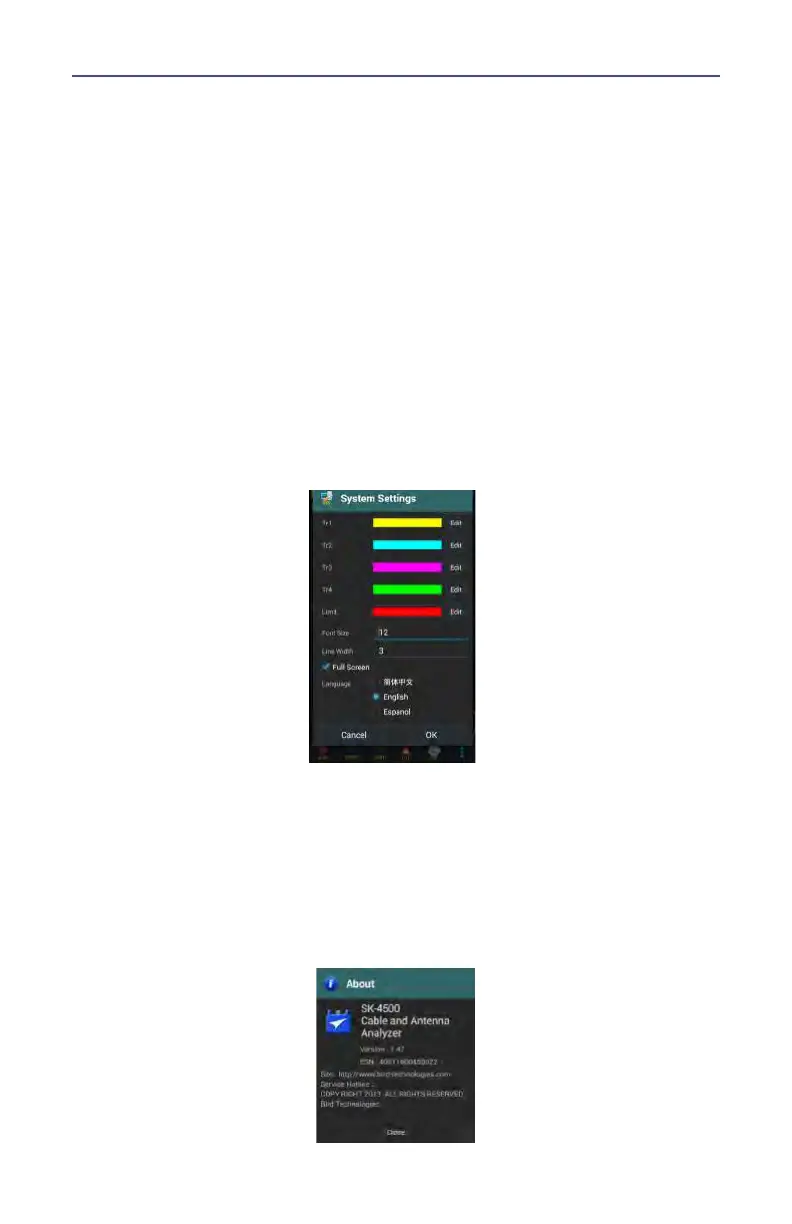
Press the SYS icon on the SYS menu to open the System Settings dialog. The
System Settings dialog allows the user to change system display settings. The
full menu is best viewed with the SiteHawk in the vertical position.
User options include:
Change Trace color
Change limit Line color
Change font size
Change line widths
Toggle Full Screen on and off
Select Language
Figure 30 System Settings
EXIT
Press the exit icon on the SYS menu to close the SiteHawk application.
About Screen
Press the information icon on the SYS menu opens the About Screen. The About
screen displays the software version and the device serial number.
Figure 31 System About










 To Next Page