Data Save and Export
40
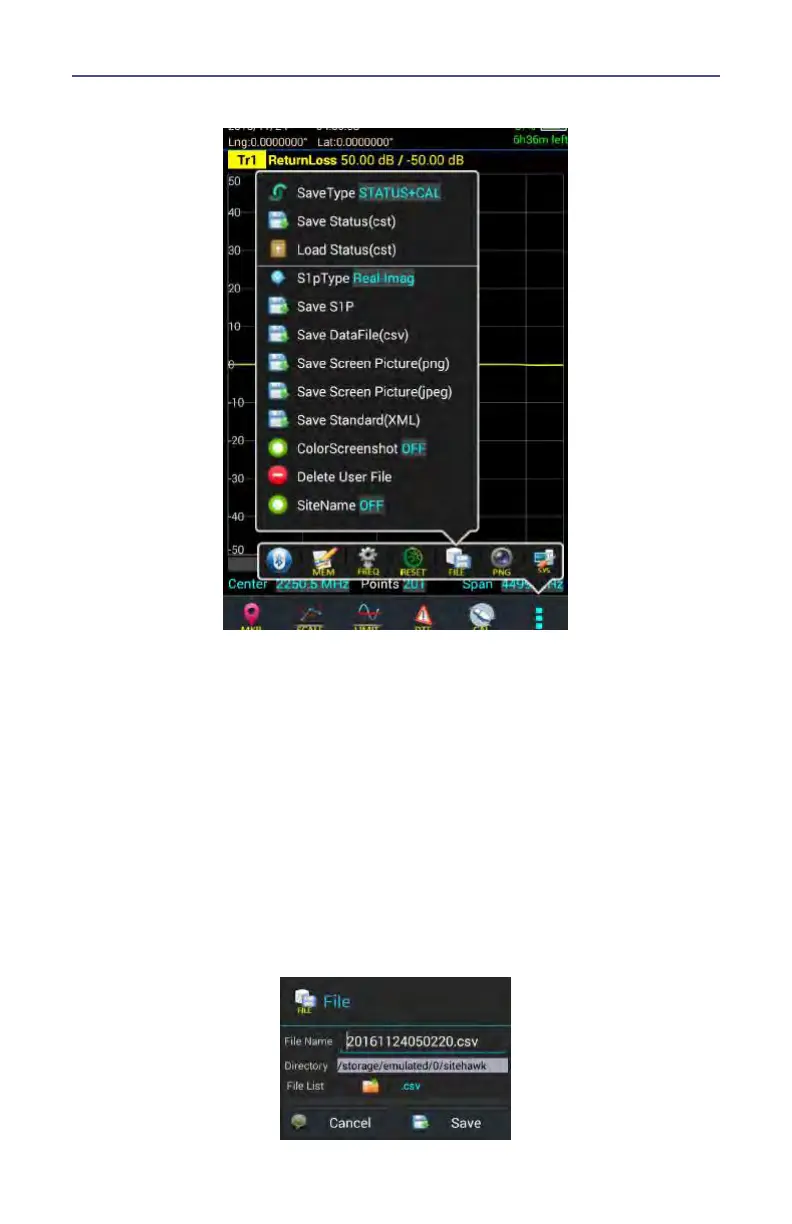
Figure 33 File Menu
3. Select the format of the saved file:
Data can be saved as cst or sta trace data.
Data can be saved as a S1p file.
Data can be saved as a datafile (.csv).
Screenshots can be saved as .png or .jpeg.
4. Press appropriate Save icon (each save type has its own save button).
Note: Unless a custom name is entered, a default filename will be
automatically generated. This file will be saved to the internal
memory of the unit.
5. Change the file name if desired and press Save.
Figure 34 File Save Dialog



 To Next Page