Additional Features
36
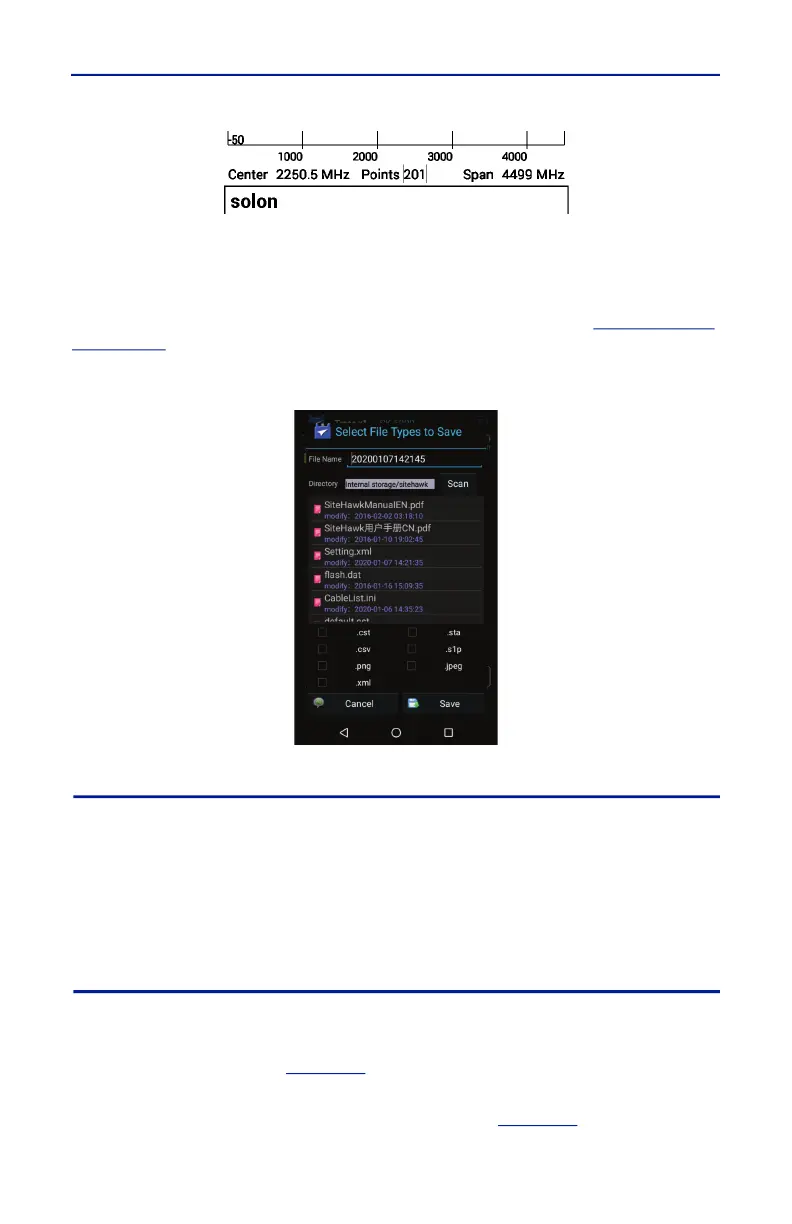
Figure 27 Site Name Screenshot
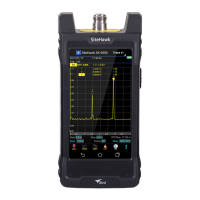
Save Multiple Files
The Save Multiple Files menu allows several file types to be saved in one
operation, using the same file name for each file type. The menu contains file
type selection boxes and file name option. For more details, see
"Saving Files"
on page 40
.
Figure 28 Save Multiple Files
RESET Icon
The reset menu will reset the SiteHawk to default settings. All current data is
cleared including calibration, and all menus are reset to default. Saved data is
not affected by a reset.
1. Press the Menu icon.
2. Press RESET. A Reset dialog will open, click OK to confirm reset.
PNG Icon
Pressing PNG will save the current sweep display area as an image with a PNG
file type extension. The save path and filename will briefly be displayed at the
bottom of the screen. See
Figure 29
.
Note: If the Site Name option is set to ON an Edit SiteName dialog box
will be displayed each time screen shot is taken. See
Figure 26
.




 To Next Page