Colour Hue
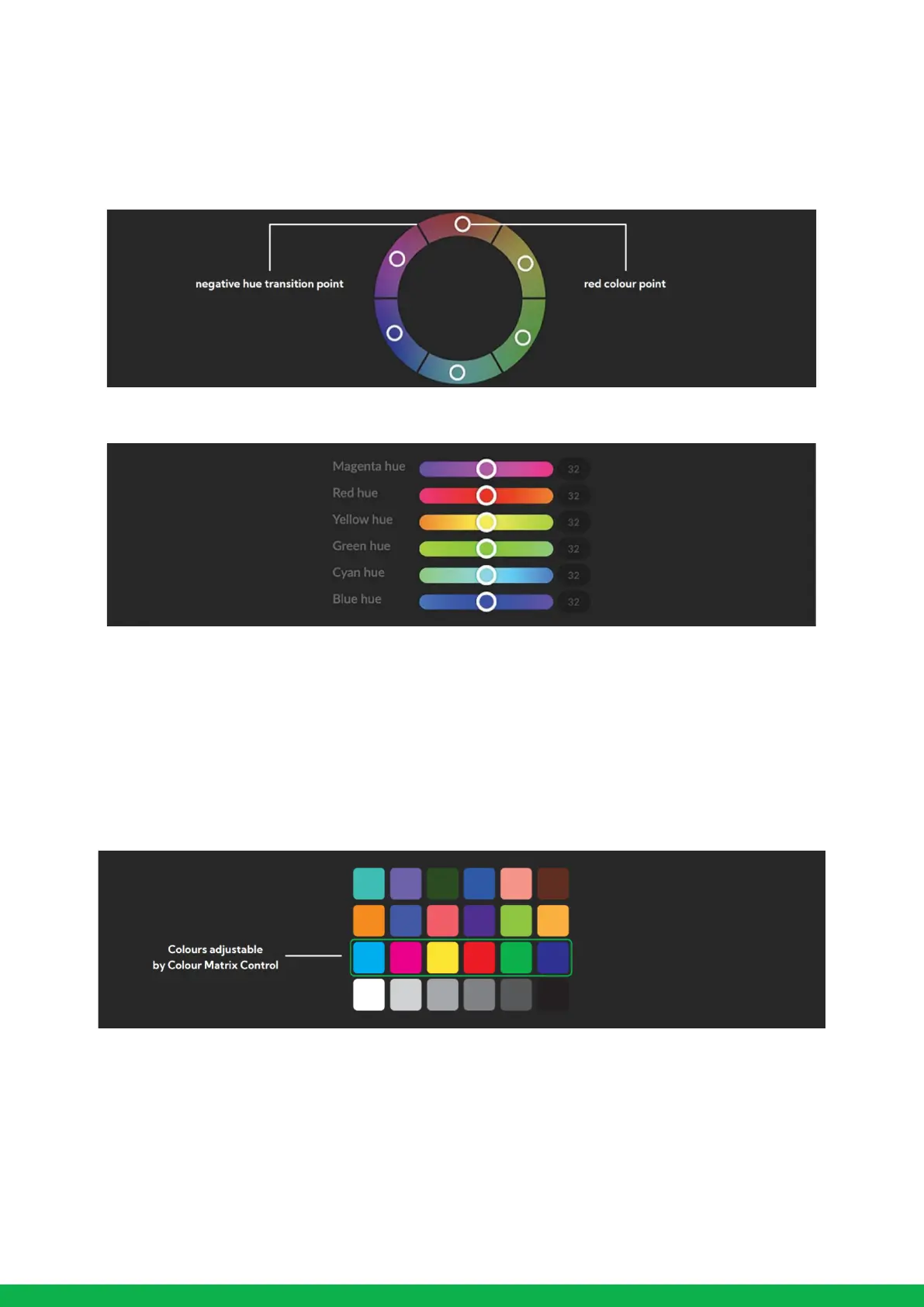
The Colour Hue option adjusts the temperature or phase in which any colour is represented. When looking at the colour
spectrum, beyond the true colour points for each of the main colour adjustments in the camera (Red, Green, Blue, Cyan,
Magenta and Yellow there are areas where the colours transition to their neighboring colour point.
In PF120 Colour Matrix controls you can adjust the colour offset in a negative (counter clockwise) or positive (clockwise)
direction, effectively moving the cameras response to any colour towards its neighbouring colour transition point.
Adjusting individual colour Hue can assist dramatically in matching colour representation from the camera to true-to like
colours or matching the PF120 to other cameras in your production.
Recommended practice for using Colour Matrix controls
It is recommended to utilise a colour chart or colour chip chart when adjusting the Colour Matrix controls. These charts are
available readily and have colour chips for each of the colours that the camera can adjust. By utilising a colour chip chart you are
more easily able to see the impact of any adjustment you are making.
Using a colour chip chart such as the Datacolor SpyderCheckr can be beneficial to fine-tuning adjustments in the PF120 Colour Matrix.


 To Next Page