System Configuration
Booting up your BirdDog PF120
Indication of system boot process
As soon as BirdDog PF120 detects a power input signal the power light on the back panel will light up red.
On the ethernet/NDI connector on the rear.
After initial boot up is complete your PF120 unit will be visible as a source on any NDI compatible devices on the SAME ethernet
subnet. For further networking architecture instructions including routing please consult either your system administrator or the
support page at bird-dog.tv.
Connection
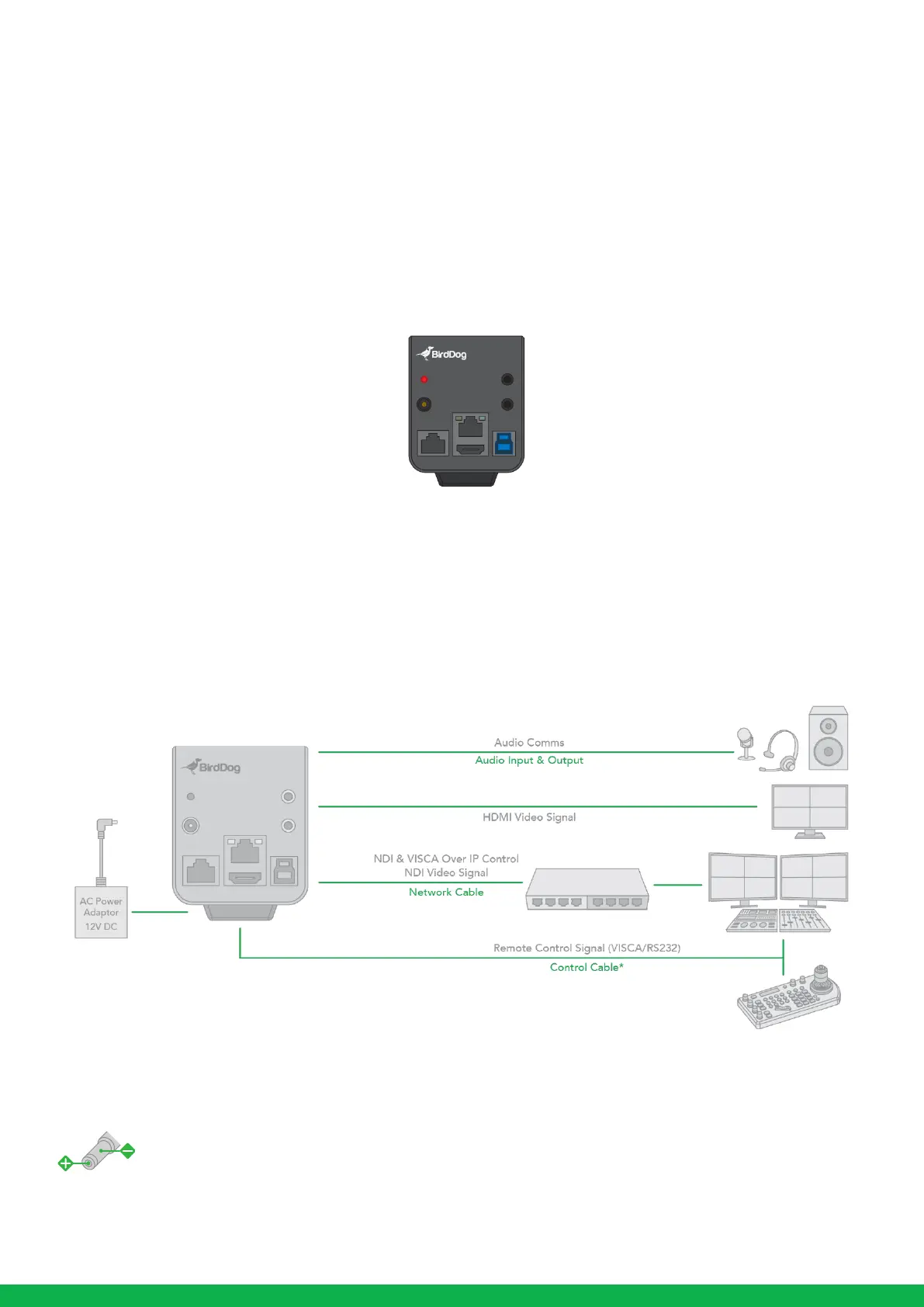
When the camera is connected to a computer and joystick keyboard with a VISCA cable (cross type, RS-232), you can operate
the camera with the computer and the joystick keyboard.
In this connection configuration, HDMI cable, data cable, Network cable is required. To obtain these third-party components or
accessories, consult the dealer where you bought your camera.
Power
•
Use only the DC power adaptor (JEITA type4) supplied with the unit. Do not use any other DC power adaptor.
•
If using PoE to power the camera, PoE(IEEE802.3af) is supported.
•
Ensure that the PoE power source has sufficient power budget to power the camera, or some features may not function
properly.



 To Next Page