ATW (Auto Tracking White Balance): Auto Tracking White balance (2000K to 10000K), allows the camera to adjust the tone
according to the temperature of the light source illuminating the subject.
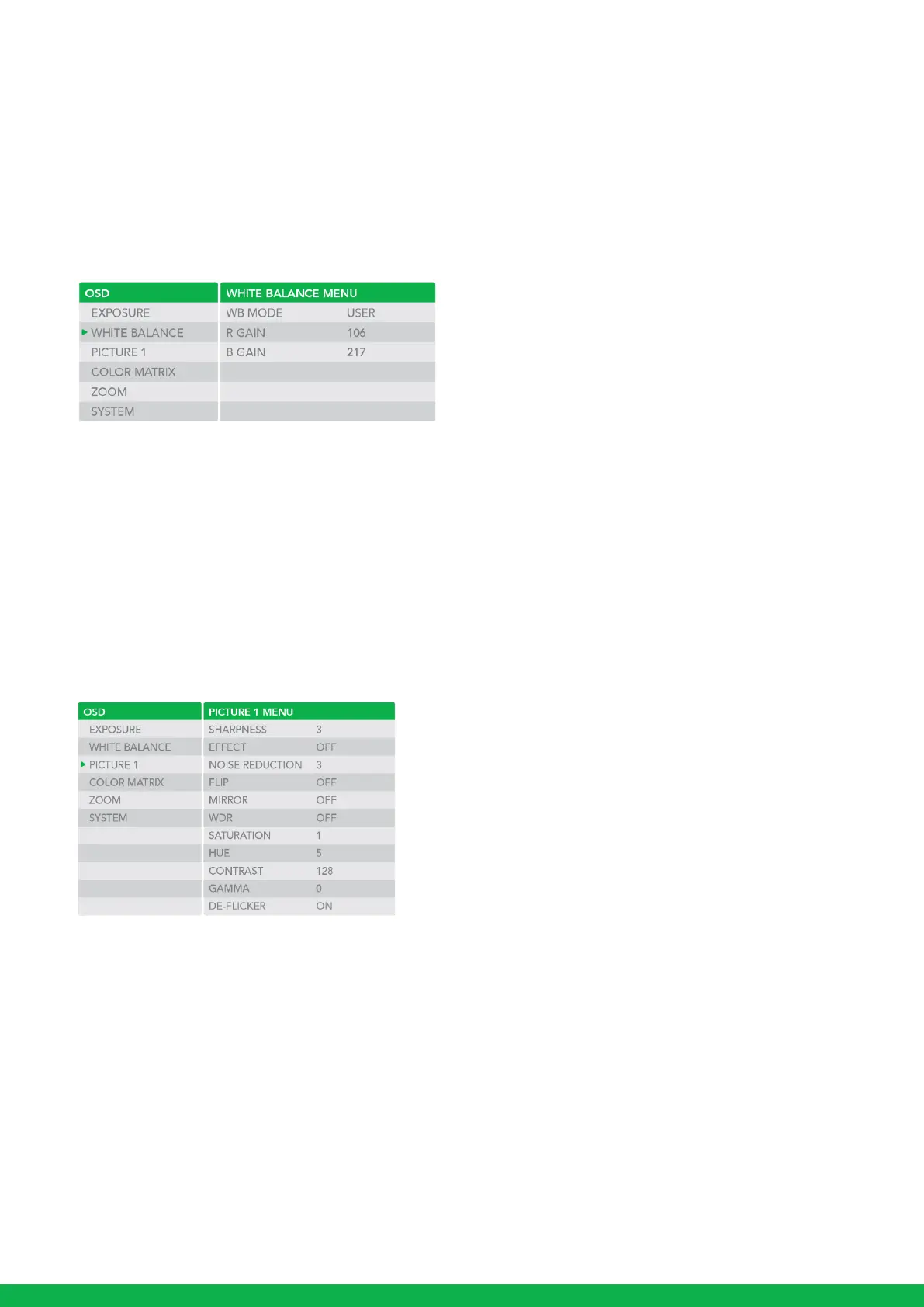
USER: This is a mode that enables you to manually set the control of R and B gain up to 256 steps.
USER2: This is a mode that enables you to manually set the control temperature from 2800K to 6500K.
NOTE: When you select USER, R. GAIN (red gain) and B. GAIN (blue gain) appear. You can select each item in the range from
0 to 255.
OUTDOOR AUTO: This is an auto white balance mode specifically for outdoors. It allows you to capture images with natural white
balance in the morning and evening.
SL AUTO: Sodium Vapor Lamp Auto: This is an auto white balance mode that is compatible with sodium vapor lamps.
SL: Sodium Vapor Lamp: This is a fixed white balance mode specifically for sodium vapor lamps.
SLO AUTO: Sodium Vapor Lamp Outdoor Auto: This is an auto white balance mode specifically for outdoors, which is compatible
with sodium vapor lamps.
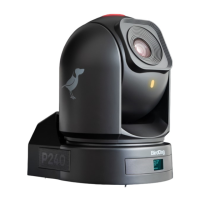
PICTURE1 Menu
SHARPNESS: Picture sharpness value ranges from 0 to 15. You can enjoy emphasized edge and high-resolution images.
EFFECT: (Picture Effect). It consists of the following functions:
B&W: Monochrome Image Image effect from Off, B&W
NOISE REDUCTION: Noise reduction - you can enjoy clearer images by removing unnecessary noise. You can select 6 levels
from OFF (MIN), 1 to 5 (MAX).
FLIP: Image E-Flipper – Used when ceiling mounting or upright mounting. Set to OFF is upright mode, set to ON is for ceiling
mount.
MIRROR: You can have the image as seen in a mirror, with the right side as though it were the left.


 To Next Page