12
BirdDog cameras have a web interface (also
known as BirdUI) that is displayed by your
computer browser and can be used to
configure your camera remotely.
In order to access to the dedicated panel, you
will need to scan the QR Code present on your
camera e-ink screen, or via web browser by
inserting the correct address IP as a web link.
An alternative way is through NDI Studio
Monitor application:
1. Click on the gear icon on the bottom right
of the Studio Monitor window.
2. In the displayed window, type the default
password ‘birddog’ (all lower case) and click
the OK button. The dashboard window is
displayed.
WEB CONFIGURATION PANEL
8
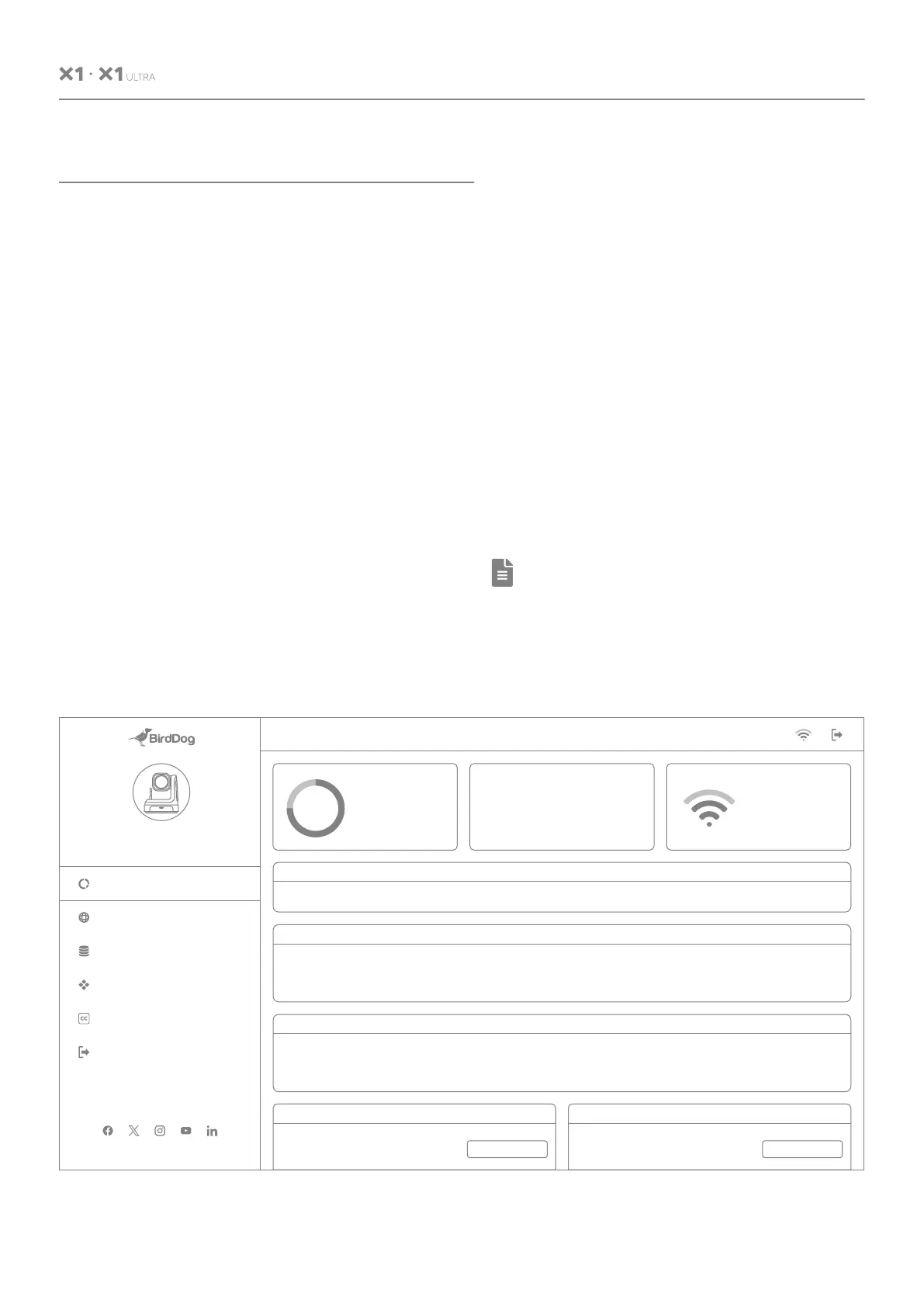
The dashboard shows important basic camera
settings. For now, check that the displayed
Status is Active and take note of the frame
rate that is currently output from the camera
(displayed under NDI® connection info). This
frame rate should be set identically for all
cameras according to the requirements of
your production.
Note:
For more infomation about the BirdUI,
please visit BirdDog.tv/downloads, or,
BirdDog.tv/birdui-overview
BirdDog.tv
System
Utilization
75%
BirdDog PTZ
X1 Ultra
Ethernet Status:
Wi-Fi Status:
Preferred NIC:
Not Connected
Connected
Wi-Fi
System Details
System Name:
MCU Version:
Status:
birddog-newHX-x1
8
Active
Eth. IP Address:
Wi-Fi IP Address:
MAC address:
192.168.100.100
192.168.100.5
e8:eb:1b:49:a6:78
Firmware Version:
Network Config Method:
BirdDog_X1.0.2
DHCP
Stream Info
Video Resolution:
Audio Channels:
Genlock Status:
1920x1080
2
Not Active
Video Frame Rate:
Audio Sample Rate:
Network Mode:
59.94
48000
RUDP
Video Sample Rate:
Average Bitrate:
Streaming Protocol:
4:2:2
134Mbps
NDI HX
Status
NDI VIdeo Stream Name: CAM Video Format: 1080p60 Audio Status: Mute
System RebootDevice Restart
Network
Dashboard
System
AV Setup
Cam Control
Logout
RESTART REBOOT
Device Mode:
Source Status:
Encode
Streaming NDI
Wi-Fi Network
BD-Office 2.4GHz
USER MANUAL


 To Next Page