11
INSTALLATION INSTRUCTIONS
7
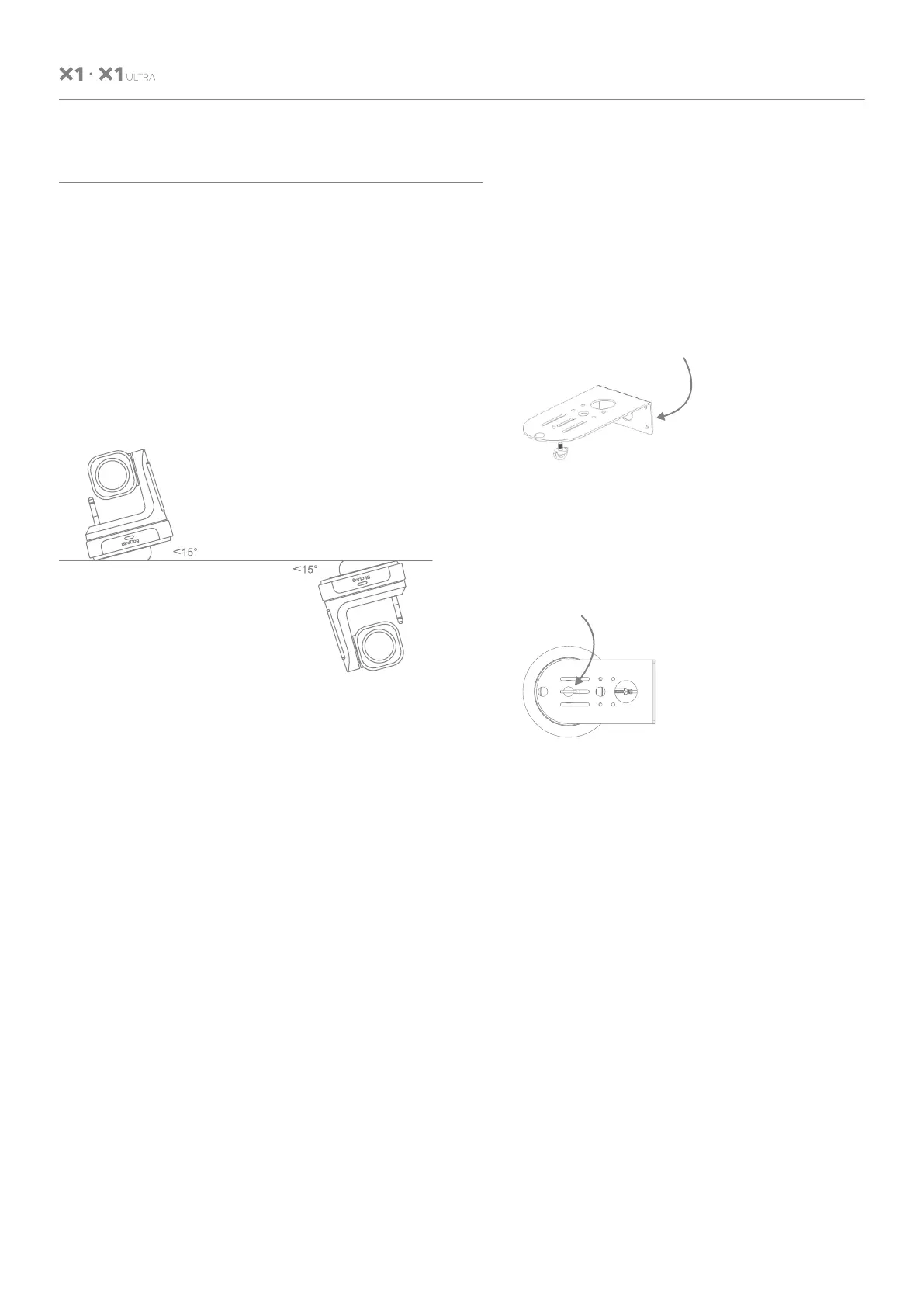
7.1 Surface Installation
Put the camera on the desk flatly, and make
sure the camera is in a horizontal position. If
you want to put the camera on an oblique
surface, please make sure the angle of inclina-
tion is less than 15 degrees to ensure the
camera pan and tilt work normally.
7.2 Wall Mount Installation
Step 1: Mounting the wall mount bracket
Wall mount bracket
(This side is to the wall.)
Mounting the bracket vertically to the wall
with screws.
Step 2: Install the camera
Screw hole
Rotate the camera clockwise to install it.
USER MANUAL


 To Next Page
 Loading...