14
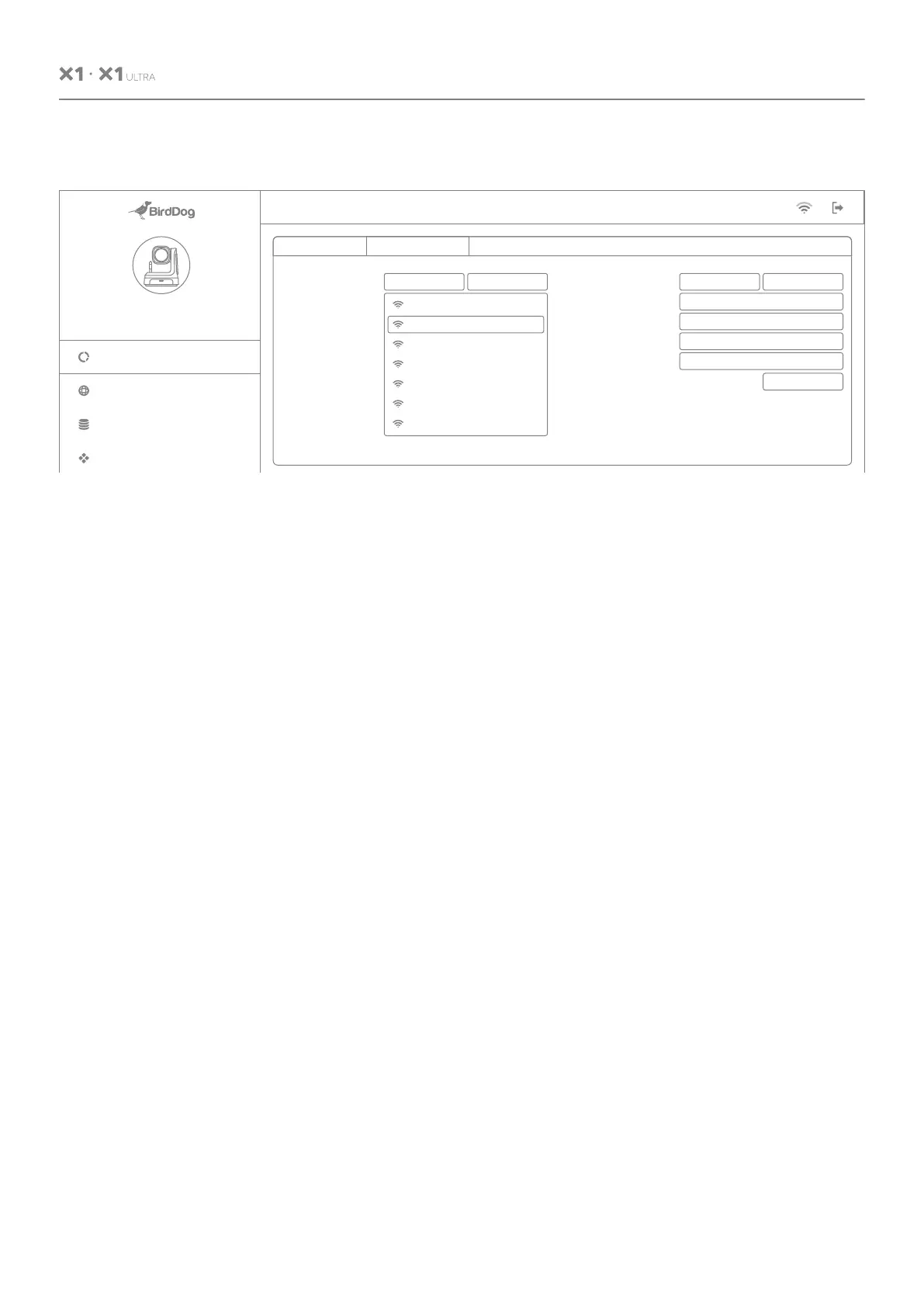
9.2 Wi-Fi Network Configuration
From the dedicated tab:
1. Click the Wi-Fi On button to enable Wi-Fi
operation.
2. Select your network.
3. Complete the rest of the Wi-Fi configuration
as for Ethernet Network Configuration above.
4. Click the Apply button to save your changes.
Ethernet Network
Custom
BirdDog Office 2.4GHz
WiFi Network 03
WiFi Network 04
WiFi Network 05
WiFi Network 06
WiFi Network 07
NDI Network Settings
Transmit Pref. Method
Multicast Net Prefix
Multicast Net Mask
Multicast TTL
1
255.255.0.0
239.255.0.0
TCP
NDI Discovery Server
NDI Discovery Server IP
OFFON
192.168.1.123
APPLY
NOTE: Changing of NDI network settings can have a major impact on system compatibility and performance across your network.
You should carefully consider the need to change these settings. Consult the user guide for more details.
Wi-Fi
SSID:
Configuration Method
IP Address
Subnet Mask
Gateway Address
BirdDog Name
BirdDog-X1-Ultra .local
APPLY
Wi-Fi Network
ON OFF
255.255.255.0
192.168.100.1
192.168.100.5
STATIC DHCP
BirdDog PTZ
X1 Ultra
Network
Dashboard
System
AV Setup
Device Mode:
Source Status:
Encode
Streaming NDI
USER MANUAL


 To Next Page