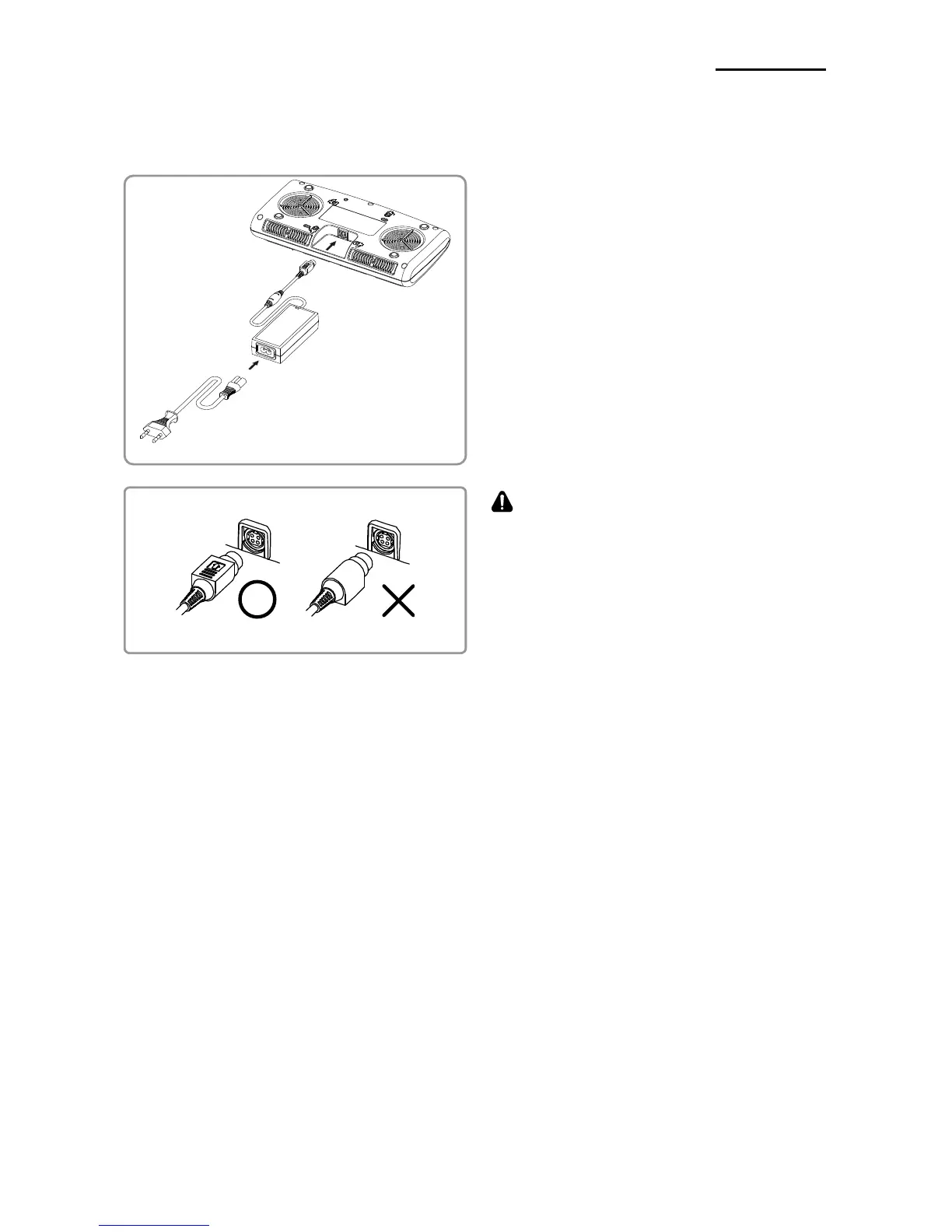
1) Connect the power cord to the adaptor,
and Connect the adaptor to the power
connector of the quad battery charger /
quad docking cradle.
2) Plug the power cord into a power Outlet.
Input power is 100 ~ 240VAC, 50/60Hz,
1.0A.
3) When the power is supplied, the yellow,
green and red LEDs are on for three
seconds and do the self-test.
WARNING
Use only designated AC/DC adaptor.
(12VDC, 3A)











 To Next Page