EasyManua.ls Logo

BK Precision 4053B - User Manual

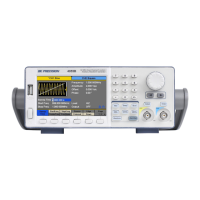
BK Precision 4053B
141 pages
Print Icon
To Next Page IconTo Next Page
Loading...
i
4050B Series
Function/Arbitrary Waveform
Generator
USER MANUAL

Table of Contents

Questions and Answers

  • C
    Cheryl DavisAug 9, 2025
    Why is the amplitude double of what I set on my BK Precision Portable Generator?
    • D
      Dr. Billy Gonzalez IIIAug 9, 2025
      The amplitude doubling often occurs because the impedance of the generator isn't matched with the oscilloscope. To resolve this, connect a 50 Ω terminator to the oscilloscope input, then use a BNC cable to connect the generator and the terminator, ensuring impedance matching.
  • S
    Sara Gray MDAug 14, 2025
    How to troubleshoot power issues with my BK Precision 4053B Portable Generator?
    • S
      Stephanie KingAug 15, 2025
      First, check that the power cord is securely connected to the AC input and that your electrical AC outlet is providing live power. Also, verify that the AC power from the mains is the correct voltage for the generator.
  • K
    Kristi PetersAug 21, 2025
    What to do if there is no output from the terminals of my BK Precision Portable Generator?
    • D
      David WilsonAug 21, 2025
      Ensure that the Output buttons above channel 1 and/or channel 2 are illuminated. If they are not, press the button once to activate the output.
  • E
    Erik KnightAug 27, 2025
    How to troubleshoot power up issues with BK Precision Inverter?
    • I
      ilunaAug 27, 2025
      First, ensure the power cord is securely connected to the AC input and that the electrical AC outlet is providing live power. Also, verify that the AC power coming from the mains is the correct voltage for the BK Precision Inverter.
  • D
    Dawn GoodmanSep 1, 2025
    What to do if I cannot see any output out of the output terminals of my BK Precision Inverter?
    • D
      Dennis ArmstrongSep 1, 2025
      Ensure that the Output buttons above channel 1 and/or channel 2 are illuminated. If they are not, press the button once to activate the output on your BK Precision Inverter.

Summary

General Information

Product Overview

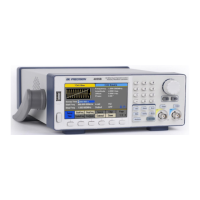
Detailed overview of the 4050B series function/arbitrary waveform generators.

Getting Started

Input Power Requirements

Details the voltage and frequency specifications for powering the instrument.

Output Connections

Guidelines for connecting output terminals and impedance matching for signal integrity.

Preliminary Check

Steps to verify AC input voltage, connect power, and run self-tests.

Front Panel Operation

Configure Waveform Output

Configure waveform shape, frequency, amplitude, offset, phase, duty cycle, and more.

Utility Functions

Remote Interface

Troubleshooting Guide

SPECIFICATIONS

BK Precision 4053B Specifications

General IconGeneral
BrandBK Precision
Model4053B
CategoryPortable Generator
LanguageEnglish

Related product manuals