EasyManua.ls Logo

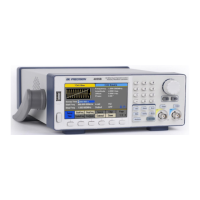
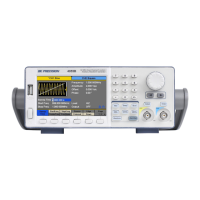
BK Precision 4054B - User Manual

BK Precision 4054B
141 pages
Print Icon
To Next Page IconTo Next Page
Loading...
i
4050B Series
Function/Arbitrary Waveform
Generator
USER MANUAL

Table of Contents

Questions and Answers

  • D
    Dr. Susan YoungAug 8, 2025
    Why is the amplitude double of what I set on my BK Precision 4054B Portable Generator?
    • L
      Laura RobertsonAug 9, 2025
      The amplitude doubling often occurs because the impedance of the generator isn't matched with the oscilloscope. To resolve this, connect a 50 Ω terminator to the oscilloscope input, then use a BNC cable to connect the generator and the terminator, ensuring impedance matching.
  • S
    stephanievaughanAug 15, 2025
    How to troubleshoot power issues with my BK Precision Portable Generator?
    • A
      Ashley RamirezAug 15, 2025
      First, check that the power cord is securely connected to the AC input and that your electrical AC outlet is providing live power. Also, verify that the AC power from the mains is the correct voltage for the generator.
  • M
    Mary BraunAug 21, 2025
    What to do if there is no output from the terminals of my BK Precision Portable Generator?
    • E
      elizabeth22Aug 21, 2025
      Ensure that the Output buttons above channel 1 and/or channel 2 are illuminated. If they are not, press the button once to activate the output.
  • B
    Brandon AdamsAug 27, 2025
    How to troubleshoot power up issues with BK Precision Inverter?
    • E
      Edward BellAug 27, 2025
      First, ensure the power cord is securely connected to the AC input and that the electrical AC outlet is providing live power. Also, verify that the AC power coming from the mains is the correct voltage for the BK Precision Inverter.
  • M
    Mrs. Danielle GrahamSep 1, 2025
    What to do if I cannot see any output out of the output terminals of my BK Precision Inverter?
    • C
      Christopher HarveySep 1, 2025
      Ensure that the Output buttons above channel 1 and/or channel 2 are illuminated. If they are not, press the button once to activate the output on your BK Precision Inverter.

Summary

Safety Summary

Instrument Handling and Maintenance Safety

Covers safety procedures for damaged instruments, cleaning, and critical applications.

Getting Started

Output Connections and Impedance Matching

Guides on connecting outputs and ensuring proper impedance matching for signal integrity.

Preliminary Check and Self-Test Procedures

Outlines steps for verifying instrument readiness, including self-tests.

Front Panel Operation

Configuring Waveform Outputs

Covers setting waveform shape, frequency, amplitude, offset, phase, and other parameters.

Configuring Modulation Output

Explains how to generate AM, FM, PM, ASK, FSK, PSK, and PWM modulated waveforms.

Configuring Sweep and Burst Outputs

Describes how to set up sweep and burst modes for generating specific waveform outputs.

Utility Functions

Test and Calibration Procedures

Details how to perform self-diagnostics for screen, keys, LEDs, and internal hardware.

Remote Interface Configuration

Guides on setting up communication parameters for USB, LAN, and optional GPIB interfaces.

Troubleshooting Guide

Amplitude and Impedance Matching Problems

Explains issues with amplitude discrepancies due to impedance mismatch and provides solutions.

Service Information and Warranty

Limited Three-Year Warranty Terms

Details the warranty coverage, exclusions, and customer rights.

BK Precision 4054B Specifications

General IconGeneral
BrandBK Precision
Model4054B
CategoryPortable Generator
LanguageEnglish

Related product manuals