General Information 19
3.6 Front Panel Overview
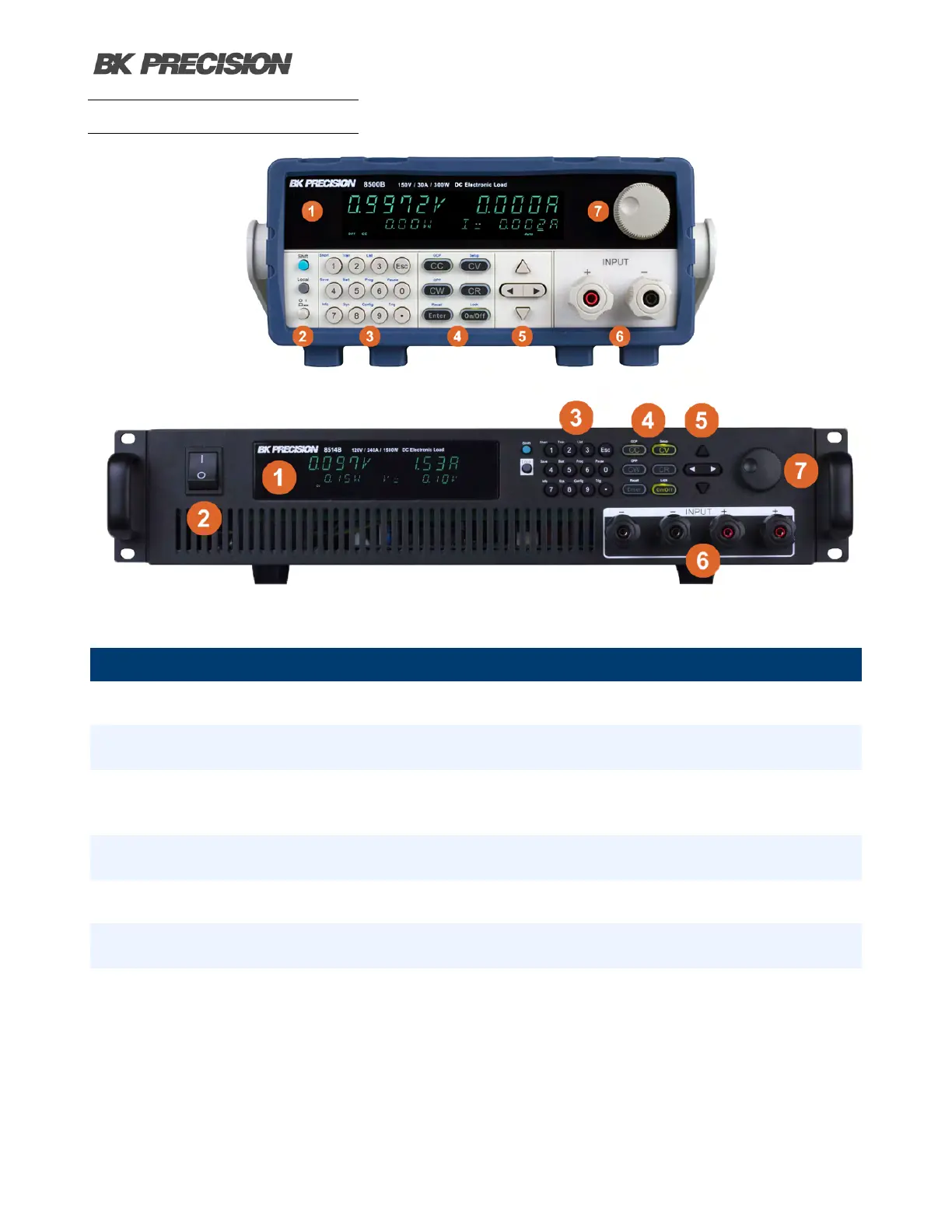
Figure 3.3 Front Panel
Item Name Description
1 Display Vacuum Fluorescent Display
2 Power Button Toggles the instrument ON or OFF.
3 Numeric Keypad
Used to enter precise values and call advanced
functions.
4 Function Keys See section 5.1.1 for details.
5 Navigation Keys Used to navigate menus or congure parameters.
6 Rotary Knob Used to navigate menus or congure parameters.
7 Input Terminals
Front terminals providing spade connection and 4mm
banana plug.
Table 3.3 Front Panel Overview



 To Next Page