EasyManua.ls Logo

BK Radio GPH-CMD - User Manual

BK Radio GPH-CMD
17 pages
Print Icon
To Next Page IconTo Next Page
Loading...
BK Radio
7100 Technology Drive
West Melbourne, FL 32904
Telephone: (321) 984
-1414
FAX: (321) 984
-0434
www.relm.com
© Copyright 200
5 RELM Wireless Corporation. All rights reserved.
7001-30969-300 03-02
GPH
-
CMD
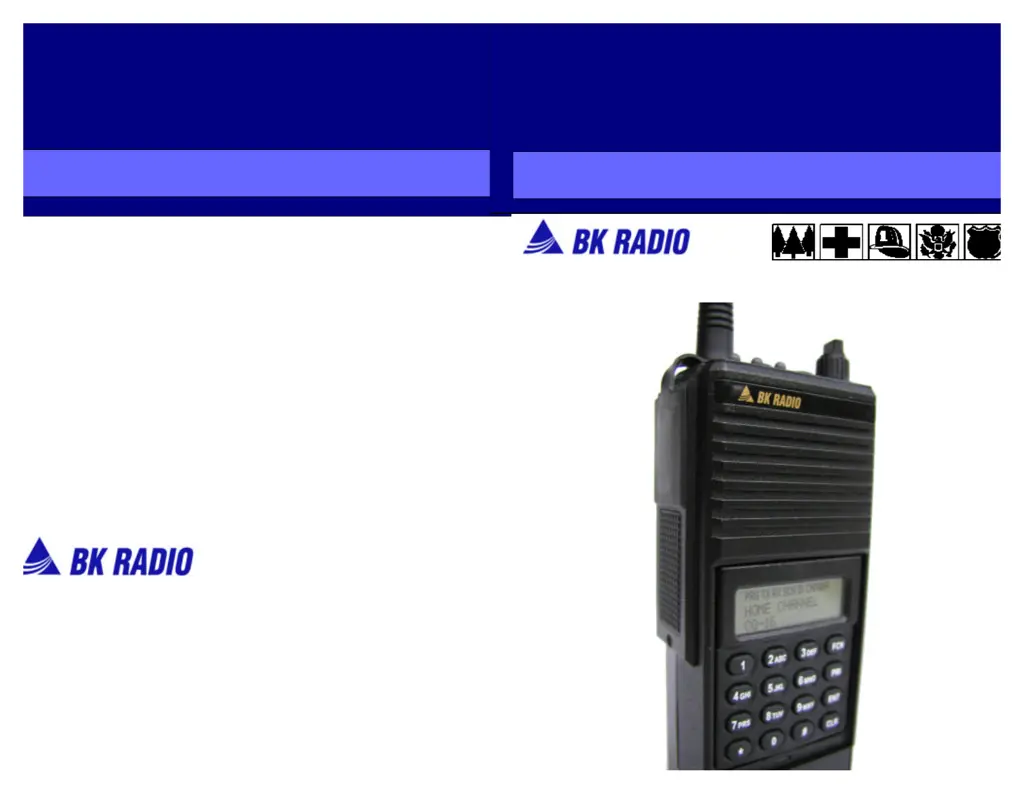
PORTABLE RADIO
OWNERS
MANUAL

Other manuals for BK Radio GPH-CMD

Questions and Answers

Summary

Introduction to GPH-CMD Portable Radio

Safety Precautions

Important safety warnings, including operating near blasting caps and in explosive atmospheres.

RF Energy Exposure Information and Compliance

Regulatory Compliance and Definitions

Federal Communications Commission (FCC) Regulations

FCC rules for marketing and user awareness of RF exposure.

Compliance with RF Exposure Standards

Radio's compliance with national/international standards for occupational RF exposure.

Radio Maintenance and RF Exposure Control

Radio Controls and Battery Installation

GPH-CMD Radio Controls Overview

Diagram and identification of the radio's main controls and indicators.

Battery Installation Guide

Detailed steps for installing the battery pack into the radio.

Radio Cloning and Basic Operation

Basic Radio Operation: Receive

Instructions for turning on, selecting channels, and adjusting volume/squelch.

Basic Radio Operation: Transmit

Procedure for transmitting audio using the PTT switch.

Code Guard Operation and Cloning Details

Code Guard Receive Procedure

Steps for receiving messages when Code Guard is active.

Code Guard Transmit Procedure

Steps for transmitting on a Code Guard enabled channel.

Radio Features and Command Groups

Command Group Building

Instructions on how to construct a Command Group of up to 20 channels.

Command Group Operation and Display Features

Operating from the Command Group

How to enter and operate within a Command Group, indicated by the 'CMND' icon.

Channel Management and Switch Functions

Programmable Top Switches and Function Menu

Functions that can be assigned to top switches or the keypad menu.

Scan Operation and Radio Functions

Initiating Scan Operation

Steps to start scan operation using switches.

Keypad Lock and Unlock

Procedure to lock or unlock the radio's keypad.

Advanced Radio Operations

Scanning Code Guard Channels

Procedure for scanning channels with Code Guard enabled.

Scan List and Priority Features

Talkback Scan Operation

How to respond on the transmit frequency while in Talkback Scan mode.

Changing the Scan List

Steps to add or remove channels from the radio's scan list.

Priority Scan Modes and Settings

Priority Scan Operation

How Priority Scan monitors channels and responds to priority signals.

Priority Scan with Code Guard

Using Priority Scan in conjunction with Code Guard settings.

User Transmit Code Guard (UTXG)

How to assign UTXG for transmit Code Guard on channels.

Priority Scan Modes Explained

Dual Priority Scan Operation

How dual priority channels (PR1, PR2) are tested and prioritized.

Priority Channel Management

Changing the Priority 1 Channel

Steps to permanently or temporarily change the Priority 1 channel.

Command Group Modifications and Display

Modifying the Command Group

How to add or delete channels from a Command Group.

Cloning, Code Guard, and Command Groups

Cloning Procedure Execution

Cloning Procedure Steps

Detailed guide on connecting radios and initiating the cloning process.

Basic Radio Operation Procedures

Battery Installation and Removal Guide

Battery Removal and Antenna Installation

Battery Explosion Hazard Warning

Critical safety warning regarding potential battery explosion.

RF Exposure Compliance Guidelines

Guidelines and procedures to control RF exposure and ensure compliance.

Approved Accessories for RF Compliance

Importance of using BK Radio approved accessories for maintaining compliance.

RF Exposure Information and Operational Instructions

RF Energy Exposure Awareness and Control

Information on RF energy, compliance, and user control instructions.

Occupational Use Notice

Radio intended for occupational/controlled conditions only, not general population use.

Summary

Introduction to GPH-CMD Portable Radio

Safety Precautions

Important safety warnings, including operating near blasting caps and in explosive atmospheres.

RF Energy Exposure Information and Compliance

Regulatory Compliance and Definitions

Federal Communications Commission (FCC) Regulations

FCC rules for marketing and user awareness of RF exposure.

Compliance with RF Exposure Standards

Radio's compliance with national/international standards for occupational RF exposure.

Radio Maintenance and RF Exposure Control

Radio Controls and Battery Installation

GPH-CMD Radio Controls Overview

Diagram and identification of the radio's main controls and indicators.

Battery Installation Guide

Detailed steps for installing the battery pack into the radio.

Radio Cloning and Basic Operation

Basic Radio Operation: Receive

Instructions for turning on, selecting channels, and adjusting volume/squelch.

Basic Radio Operation: Transmit

Procedure for transmitting audio using the PTT switch.

Code Guard Operation and Cloning Details

Code Guard Receive Procedure

Steps for receiving messages when Code Guard is active.

Code Guard Transmit Procedure

Steps for transmitting on a Code Guard enabled channel.

Radio Features and Command Groups

Command Group Building

Instructions on how to construct a Command Group of up to 20 channels.

Command Group Operation and Display Features

Operating from the Command Group

How to enter and operate within a Command Group, indicated by the 'CMND' icon.

Channel Management and Switch Functions

Programmable Top Switches and Function Menu

Functions that can be assigned to top switches or the keypad menu.

Scan Operation and Radio Functions

Initiating Scan Operation

Steps to start scan operation using switches.

Keypad Lock and Unlock

Procedure to lock or unlock the radio's keypad.

Advanced Radio Operations

Scanning Code Guard Channels

Procedure for scanning channels with Code Guard enabled.

Scan List and Priority Features

Talkback Scan Operation

How to respond on the transmit frequency while in Talkback Scan mode.

Changing the Scan List

Steps to add or remove channels from the radio's scan list.

Priority Scan Modes and Settings

Priority Scan Operation

How Priority Scan monitors channels and responds to priority signals.

Priority Scan with Code Guard

Using Priority Scan in conjunction with Code Guard settings.

User Transmit Code Guard (UTXG)

How to assign UTXG for transmit Code Guard on channels.

Priority Scan Modes Explained

Dual Priority Scan Operation

How dual priority channels (PR1, PR2) are tested and prioritized.

Priority Channel Management

Changing the Priority 1 Channel

Steps to permanently or temporarily change the Priority 1 channel.

Command Group Modifications and Display

Modifying the Command Group

How to add or delete channels from a Command Group.

Cloning, Code Guard, and Command Groups

Cloning Procedure Execution

Cloning Procedure Steps

Detailed guide on connecting radios and initiating the cloning process.

Basic Radio Operation Procedures

Battery Installation and Removal Guide

Battery Removal and Antenna Installation

Battery Explosion Hazard Warning

Critical safety warning regarding potential battery explosion.

RF Exposure Compliance Guidelines

Guidelines and procedures to control RF exposure and ensure compliance.

Approved Accessories for RF Compliance

Importance of using BK Radio approved accessories for maintaining compliance.

RF Exposure Information and Operational Instructions

RF Energy Exposure Awareness and Control

Information on RF energy, compliance, and user control instructions.

Occupational Use Notice

Radio intended for occupational/controlled conditions only, not general population use.

BK Radio GPH-CMD Specifications

General IconGeneral
BrandBK Radio
ModelGPH-CMD
CategoryPortable Radio
LanguageEnglish

Related product manuals