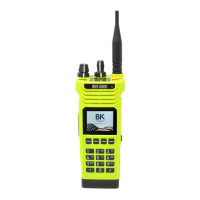
BKR5000 Portable Radio User’s Manual
- 29 -
Pick List Options
The BKR5000 provides users the ability to use Pick List options to
program specic channels. Pick List Options can be assigned to a
programmed button or as menu list items.
Available Pick List options include:
Transmit Code Guards
Receive Code Guards
Transmit Network Access Codes
Receive Network Access Codes
Talk Group IDs
Encryption Keys (see Encryption Operation)
Encryption Keysets (see Encryption Operation)
TX/RX CxCSS Picklist [TXCG] [RXCG]
Conventional Analog or Mixed Mode Channels
Selecting a CTCSS/CDCSS Code Guard from the Pick List will assign
the tone to the currently select analog or mixed-mode channel.
User assigned Transmit and Receive Code Guards are selected
independently.
To change a Code Guard, open the RXCG or TXCG menu, select the
desired tone and press “ENTER”.
To return the tone to the pre-programmed value select “Default”.
If allowed, picklist values can be changed through keypad programming.
TX/RX Network Access Code Picklist [TNAC] [RNAC]
Conventional Digital or Mixed Mode Channels
Selecting a Network Access Code (NAC) from the Pick List will assign
the NAC to the currently select digital or mixed-mode channel.
User assigned Transmit and Receive NACs are selected independently.
To change a NAC, open the RXNAC or TXNAC menu, select the
desired NAC and press “ENTER”.
To return the NAC to the pre-programmed value select “Default”.
If allowed, picklist values can be changed through keypad programming.


 To Next Page