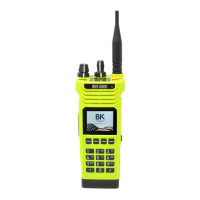
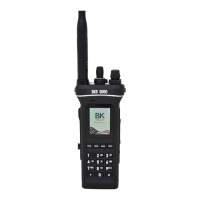
BKR5000 Portable Radio User’s Manual
- 43 -
Radio Inhibit/Enable [INH]/[UNINH]
Conventional Digital Channels
With “Inhibit” is assigned to a button or menu function, a BKR5000
Radio can temporarily disable other BKR5000 radios using the targeted
radio’s unit ID number.
The disabled radio can only be re-enabled by sending an “Unhibit”
command.
NOTE: Inhibited radios cannot be read with the PC Radio Editor.
Sending a command
To initiate an inhibit/uninhibit message press the programmed button or
select from the menu.
Use the keypad to enter the User or Administrator password.
Press “ENTER” to open the menu.
Select Target Radio
Last Call
Select “Last Call” to send the message to same radio you last sent an
inhibit or uninhbit message. Press “SEND” to send the message.
Call List
Selecting “Call List” opens a list aliases for the pre-programmed Unit IDs.
Select the desired target radio and press “SEND” to send the message.
Unit ID
Select “Unit ID” to enter the P25 ID of the target radio.
Use the keypad to enter the ID and press “SEND” to send the message.
Message Acknowledgement
When the message has been received by the targeted radio, an alert
tone will sound and the acknowledgment message will be displayed.
Press “OK” or wait for three seconds to return to normal radio operation.
If the targeted radio is unavailable, an alert tone will sound and the failed
acknowledgement message will be displayed.
Press “RTRY” to resend the message.
Press “OK” or wait for three seconds to return to normal radio operation.


 To Next Page