Mobile Hot Bar Operation
5
Operation
Controls and Indicators
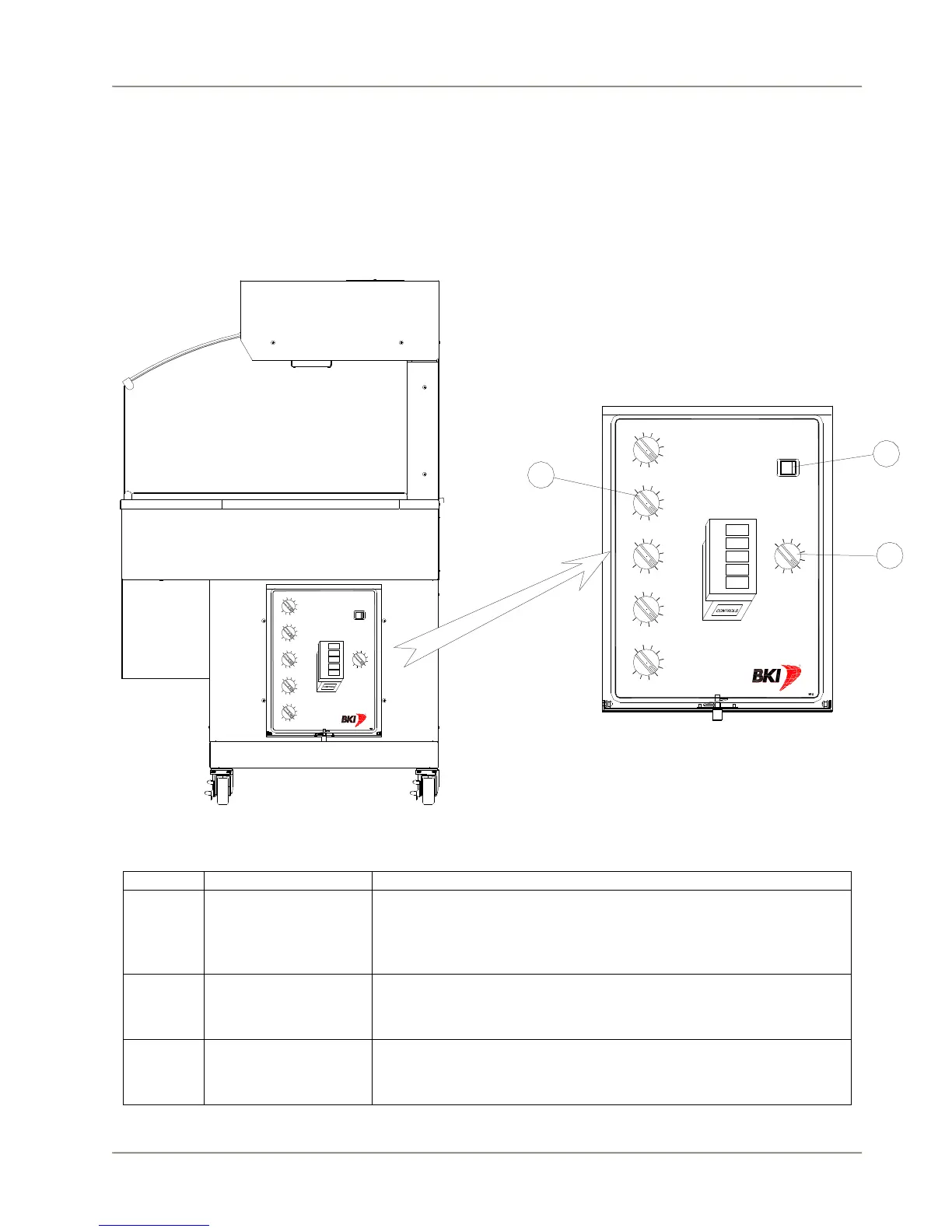
The mobile hot bar controls are shown in the figure below. The rocker switch turns the power supply
to the unit on and off. The temperature controls adjust the temperature of the well and overhead heating
elements.
1
2
1
0
3
4
5
9
6
7
8
1
2
1
0
3
4
5
9
6
7
8
1
2
1
0
3
4
5
9
6
7
8
1
2
1
0
3
4
5
9
6
7
8
1
2
1
0
3
4
5
9
6
7
8
UPPER CANOPY
POWER
1234
WELL 4
WELL 3
WELL 2
WELL 1
1
2
1
0
3
4
5
9
6
7
8
WELL 5
5
1
2
1
0
3
4
5
9
6
7
8
1
2
1
0
3
4
5
9
6
7
8
1
2
1
0
3
4
5
9
6
7
8
1
2
1
0
3
4
5
9
6
7
8
1
2
10
3
4
5
9
6
7
8
UPPER CANOPY
POWER
1234
WELL 4
WELL 3
WELL 2
WELL 1
1
2
1
0
3
4
5
9
6
7
8
WELL 5
5
2
1
3
Hardware Controls
1 Main Power Switch Turns power On or Off to the entire unit. When placed in the on
position, the well and overhead heaters are powered and the lights
illuminate. When placed in the off position, power is removed from
the entire unit.
2 Individual Well
Thermostats
Controls the temperature of the specific well as shown on the well
diagram. Rotate clockwise to increase the temperature and
counter clockwise to decrease the temperature.
3 Overhead Heaters
Infinite Switch.
Controls the temperature of all of the overhead heaters in the
canopy. Rotate clockwise to increase the temperature and counter
clockwise to decrease the temperature.



 To Next Page