EasyManua.ls Logo

Black & Decker BCD001 - User Manual

Black & Decker BCD001
12 pages
Print Icon
To Next Page IconTo Next Page
Loading...
www.blackanddecker.co.uk
1
2
34
567
BCD001

Other manuals for Black & Decker BCD001

Questions and Answers

Summary

Intended Use

Safety Instructions

General Safety Warnings

Provides comprehensive warnings and instructions for safe operation of power tools.

Work Area Safety

Guidelines for maintaining a clean, well-lit, and safe work environment.

Electrical Safety

Crucial safety measures regarding electrical connections and protection.

Personal Safety

Advice on staying alert, using PPE, and preventing accidental starts.

Power Tool Use and Care

Instructions for proper usage, maintenance, and storage of power tools.

Battery Tool Use and Care

Guidelines for charging, using, and storing battery-powered tools.

Service

Guidance on professional servicing and use of identical replacement parts.

Additional Power Tool Safety Warnings

Specific safety advice for drills, including auxiliary handles and workpiece securing.

Safety of Others

Ensures the tool is used safely around others, especially children.

Residual Risks

Highlights unavoidable risks associated with tool usage, like touching moving parts.

Vibration

Information on declared vibration emission values and assessment of exposure.

Labels on Tool

Explanation of symbols and warnings found on the tool itself.

Additional Safety Instructions for Batteries and Chargers

Safety advice specific to batteries and their charging equipment.

Electrical Safety for Charger

Details on the charger's double insulation and mains voltage requirements.

Assembly

Use

Charging the Battery

Step-by-step guide for charging the battery pack.

Important Charging Notes

Key advice for optimal battery charging, including temperature and troubleshooting.

Charger Diagnostics

Explanation of LED indicators for battery status and charging problems.

Hot;Cold Pack Delay

Describes the feature that suspends charging for batteries outside optimal temperature.

Leaving the Battery in the Charger

Information on keeping the battery pack on the charger for maintenance.

Installing and Removing the Battery Pack

Instructions on how to attach and detach the battery pack from the drill.

Operating Instructions

Torque Control

How to select operating modes and set torque for tightening screws.

Keyless Chuck

Instructions for inserting and removing drill bits or accessories.

Selecting the Direction of Rotation

How to switch between forward and reverse rotation for drilling and screwdriving.

Drilling;Screwdriving Operation

Basic operation for turning the tool on/off and controlling speed.

Hints for Optimum Use

Drilling Tips

Tips for efficient and safe drilling, including pressure and drill bit handling.

Drilling in Wood

Specific advice for drilling holes in wood materials.

Drilling in Metal

Guidance on drilling metals, including lubricant recommendations.

Screwdriving Best Practices

Best practices for using the tool for screwdriving applications.

Troubleshooting

Technical Data

Maintenance

Protecting the Environment

Guarantee Information

Summary

Intended Use

Safety Instructions

General Safety Warnings

Provides comprehensive warnings and instructions for safe operation of power tools.

Work Area Safety

Guidelines for maintaining a clean, well-lit, and safe work environment.

Electrical Safety

Crucial safety measures regarding electrical connections and protection.

Personal Safety

Advice on staying alert, using PPE, and preventing accidental starts.

Power Tool Use and Care

Instructions for proper usage, maintenance, and storage of power tools.

Battery Tool Use and Care

Guidelines for charging, using, and storing battery-powered tools.

Service

Guidance on professional servicing and use of identical replacement parts.

Additional Power Tool Safety Warnings

Specific safety advice for drills, including auxiliary handles and workpiece securing.

Safety of Others

Ensures the tool is used safely around others, especially children.

Residual Risks

Highlights unavoidable risks associated with tool usage, like touching moving parts.

Vibration

Information on declared vibration emission values and assessment of exposure.

Labels on Tool

Explanation of symbols and warnings found on the tool itself.

Additional Safety Instructions for Batteries and Chargers

Safety advice specific to batteries and their charging equipment.

Electrical Safety for Charger

Details on the charger's double insulation and mains voltage requirements.

Assembly

Use

Charging the Battery

Step-by-step guide for charging the battery pack.

Important Charging Notes

Key advice for optimal battery charging, including temperature and troubleshooting.

Charger Diagnostics

Explanation of LED indicators for battery status and charging problems.

Hot;Cold Pack Delay

Describes the feature that suspends charging for batteries outside optimal temperature.

Leaving the Battery in the Charger

Information on keeping the battery pack on the charger for maintenance.

Installing and Removing the Battery Pack

Instructions on how to attach and detach the battery pack from the drill.

Operating Instructions

Torque Control

How to select operating modes and set torque for tightening screws.

Keyless Chuck

Instructions for inserting and removing drill bits or accessories.

Selecting the Direction of Rotation

How to switch between forward and reverse rotation for drilling and screwdriving.

Drilling;Screwdriving Operation

Basic operation for turning the tool on/off and controlling speed.

Hints for Optimum Use

Drilling Tips

Tips for efficient and safe drilling, including pressure and drill bit handling.

Drilling in Wood

Specific advice for drilling holes in wood materials.

Drilling in Metal

Guidance on drilling metals, including lubricant recommendations.

Screwdriving Best Practices

Best practices for using the tool for screwdriving applications.

Troubleshooting

Technical Data

Maintenance

Protecting the Environment

Guarantee Information

Overview

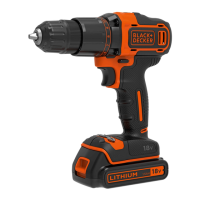
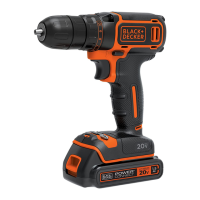
The BLACK+DECKER BCD001 is an 18V cordless drill designed for screwdriving and drilling in wood, metal, and plastics, intended for consumer use.

Function Description

The drill features a variable speed switch (1) for controlled operation, a forward/reverse slider (2) to select rotation direction for drilling and screwdriving or for loosening screws/removing jammed bits, and a torque adjustment collar (3) to set the torque for tightening screws or select the drilling mode. A keyless chuck (4) allows for easy insertion and removal of drill bits and other accessories. An LED work light (5) illuminates the work area. The tool is powered by an 18V battery (6), which is released using the battery release button (7).

Important Technical Specifications

  • Voltage: 18 VDC
  • No-load speed: 0-600 min⁻¹
  • Max. torque: 37 Nm
  • Chuck capacity: 1-10 mm
  • Max Drilling capacity:
    • Steel/wood: 10/25 mm
  • Weight: 0.8 kg (with battery 1.2 kg)
  • Battery: BL1518, 18V, 1.5 Ah, Li-Ion
  • Charger (models 90621477, 90590289-05, 90634972):
    • Input voltage: 230 VAC
    • Output voltage: 18 VDC
    • Current: 200 mA, 400 mA, 1A (depending on charger model)
    • Approx. charge time: 8 hours, 3-5 hours, 1.5 hours (depending on charger model)
  • Sound pressure (LPA): 70.0 dB(A), uncertainty (K) 3 dB(A)
  • Sound power (LWA): 81.0 dB(A), uncertainty (K) 3 dB(A)
  • Vibration total values (triax vector sum) according to EN 60745:
    • Drilling into metal (ah, D): 1.2 m/s², uncertainty (K) 1.5 m/s²
    • Screwdriving (ah): 1.0 m/s², uncertainty (K) 1.5 m/s²

Usage Features

Charging the Battery: The battery should be charged before first use and when power diminishes. The charger (8) plugs into a standard 230 Volts 50 Hz electrical outlet. The battery pack (6) slides into the charger. A flashing LED (8a) indicates charging, while a continuously lit LED (8a) signals a full charge. The recommended charging temperature is approximately 24 °C, with a range of 10 °C to 40 °C. The charger features a "Hot/Cold Pack Delay" that suspends charging if the battery is excessively hot or cold, resuming once the battery normalizes to ensure maximum battery life. The charger also has an automatic tune-up mode to balance individual cells, which can be activated by leaving the battery in the charger for at least 8 hours.

Installing and Removing the Battery: To install, insert the battery pack (6) into the tool until it clicks (fig. B). To remove, depress the battery release button (7) and pull the battery pack (6) out (fig. C). Ensure the lock-off button (2) is engaged to prevent accidental switch actuation during battery changes.

Torque Control: The torque adjustment collar (3) allows selection of the operating mode (drilling symbol) or torque setting for screwdriving. Higher torque settings are needed for larger screws and harder materials. For screwdriving, start with the lowest setting and increase until the desired result is achieved without the clutch ratcheting prematurely (fig. D).

Keyless Chuck: To insert an accessory, grasp the rear half of the chuck and rotate the front half counterclockwise. Insert the bit fully, then tighten securely by holding the rear half and rotating the front portion clockwise. Do not attempt to tighten by gripping the front part of the chuck and turning the tool on (fig. E).

Direction of Rotation: The forward/reverse slider (2) controls the rotation direction. Push left for forward (clockwise) rotation for drilling and tightening screws. Push right for reverse (counterclockwise) rotation for loosening screws or removing jammed bits. Do not change direction while the motor is running (fig. F).

Drilling/Screwdriving: Press the switch (1) to turn the tool on; speed varies with pressure. Release the switch to turn off.

  • Drilling: Use sharp drill bits. Support and secure the workpiece properly. Apply light, straight pressure to start the hole, then maintain enough pressure to keep the bit biting without stalling. Hold the drill firmly with two hands. Minimize stalling on breakthrough by reducing pressure. Keep the motor running while pulling the bit out of a drilled hole to prevent jamming.
  • Drilling in Wood: Use twist drill bits or spade bits. Pull out frequently to clear chips.
  • Drilling in Metal: Use a cutting lubricant (e.g., sulfurized cutting oil or lard oil), except for cast iron and brass, which should be drilled dry.
  • Screwdriving: Use the correct type and size of screwdriver bit. Apply washing liquid or soap as a lubricant for difficult screws. Hold the tool and bit in a straight line with the screw.

Maintenance Features

The tool is designed for long-term operation with minimal maintenance, relying on proper tool care and regular cleaning.

  • General Cleaning: Regularly clean the ventilation slots in the tool and charger with a soft brush or dry cloth. Clean the motor housing with a damp cloth; avoid abrasive or solvent-based cleaners.
  • Chuck Cleaning: Regularly open the chuck and tap it to remove any dust from the interior.
  • Safety Precaution: Always remove the battery from the tool and unplug the charger before performing any maintenance or cleaning.

The charger itself requires no maintenance apart from regular cleaning.

Black & Decker BCD001 Specifications

General IconGeneral
BrandBlack & Decker
ModelBCD001
CategoryDrill
LanguageEnglish

Related product manuals