G.SHDSL NTU
6
3. Connect to the local IP network
Now you can connect the LB510A to your local IP network and complete the
remaining configuration from your PC using a standard web browser.
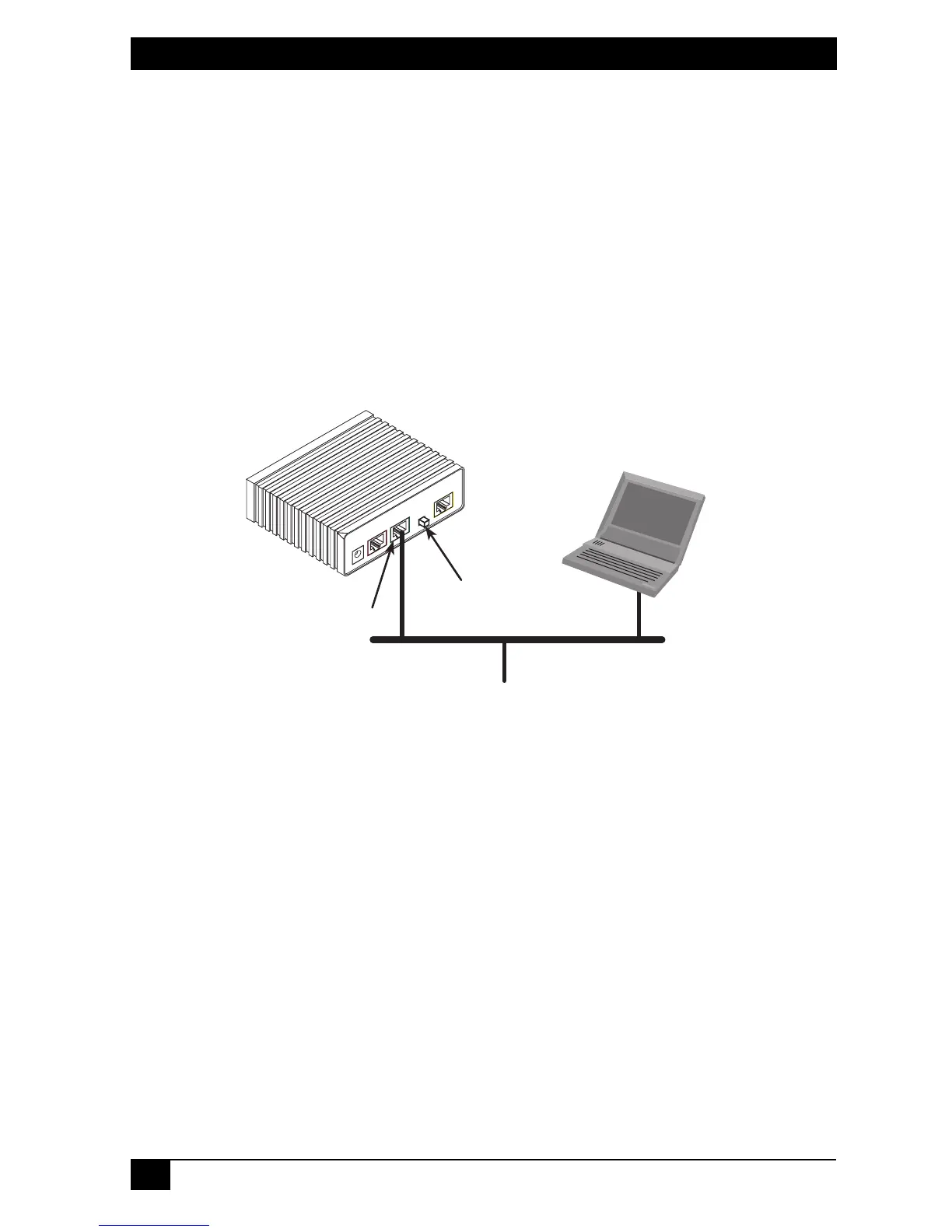
Connect the LB510A’s
Ethernet
port (green) to the same Ethernet segment as
your PC (see Figure 2). The front-panel
Ethernet Link
LED should turn on. If it
does not, press the rear-panel MDI-X switch so that the
Ethernet Link
LED illu-
minates.
You can check the connection with the ping command. For example shown in
Figure 2, you would ping 10.10.4.10 from a PC on the IP network.
Figure 2.
Connecting the LB510A to the local IP network
MDI-X
LineEthernet
Power
Console
Connect to Ethernet port
Ethernet port
PC
MDI-X switch







 To Next Page