G.SHDSL NTU
7
4. Log onto the web management interface
You will now access the web management graphical user interface (GUI) to con-
figure the LB510A using a standard web browser (such as Netscape browser or
Internet Explorer).
1. At your PC, open a web browser and enter the IP address you assigned to
the LB510A’s Ethernet LAN port in step 2 of section “Modify the IP
address” on page 5. (In this example, 10.10.4.10.)
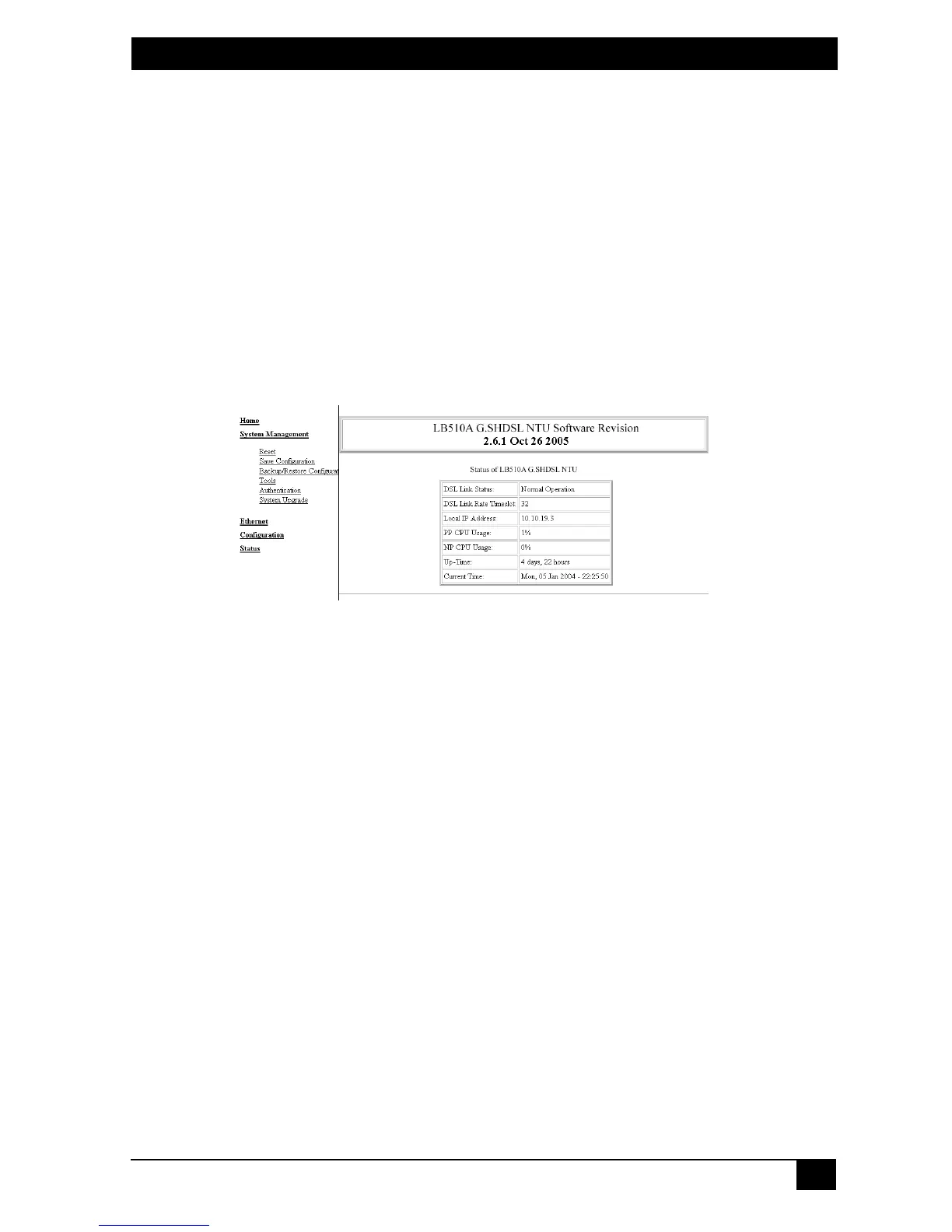
2. Log in to the web management home page using the username
superuser
and the password
superuser.
Figure 3.
Web management home page







 To Next Page